
Each master event must have a form assigned to it. This form will appear for each occurrence of the master event.
- Navigate to the Master Events domain.
- Click the Form view tab.
- Perform a Find for the event you wish to modify.
- Click the Event Setup tab.
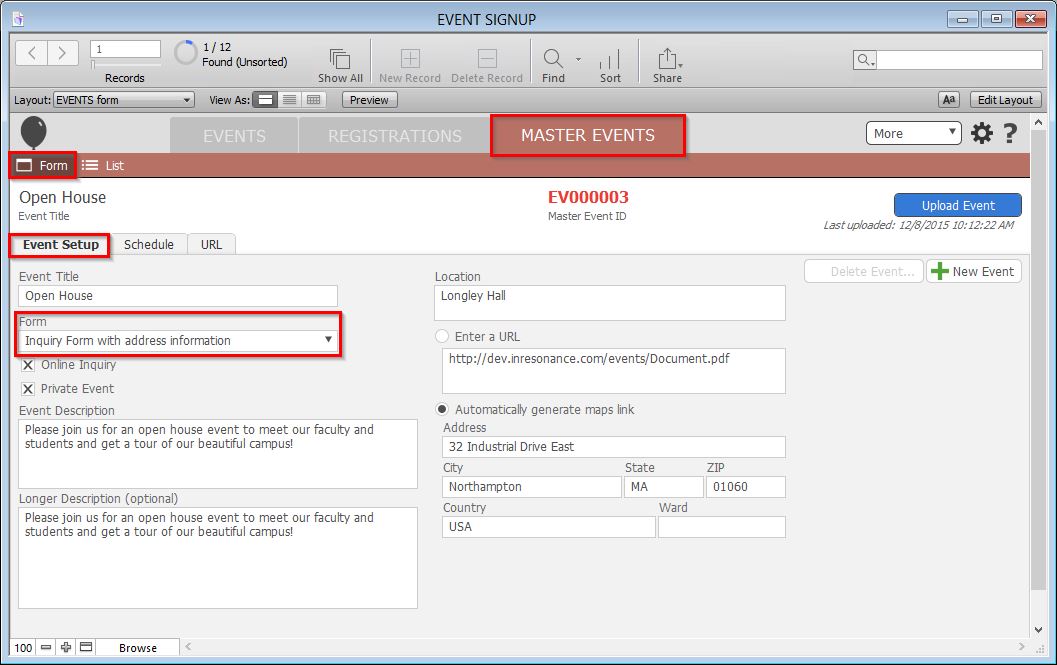
- Select the desired form from the Form drop-down list. The Online Inquiry checkbox will automatically fill if the chosen form is an Online Inquiry Form.
- Click the blue Upload Form button to commit your changes.
