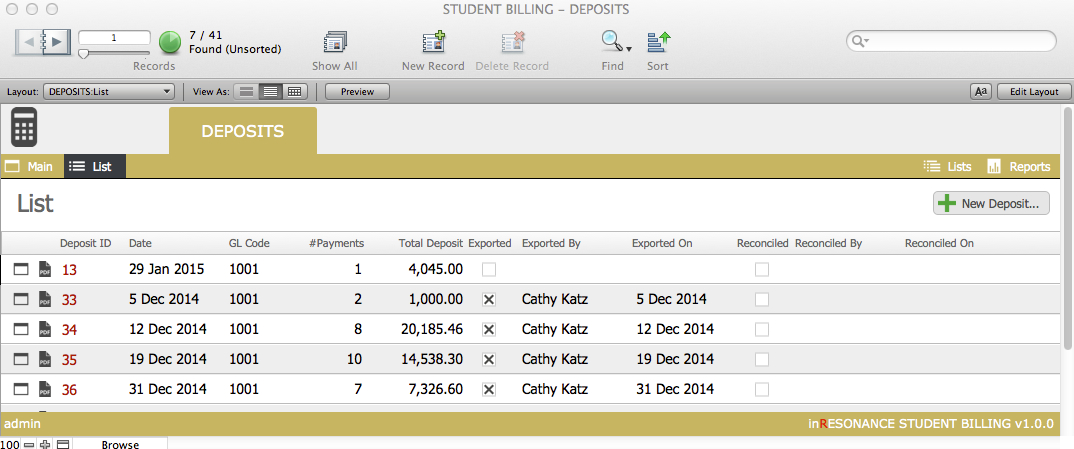
Once your deposits have been reconciled by the accountant, you will manually mark the deposits as such.
- From the Student Billing Workflow screen, click the task Reconcile Deposits.

- You can click the checkboxes to record that you have exported and/or reconciled a given deposit. The details of who marked the record and the date it was marked are automatically entered and locked.