
Certain fields can be repeated when the registrant selects to add another child to the event. The fields marked Repeat will appear once for each child added.
- Select Form Setup from the More drop-down list.
- Navigate to the Event Forms domain.
- Click on the Form view tab.
- Perform a Find for the form you wish to modify.
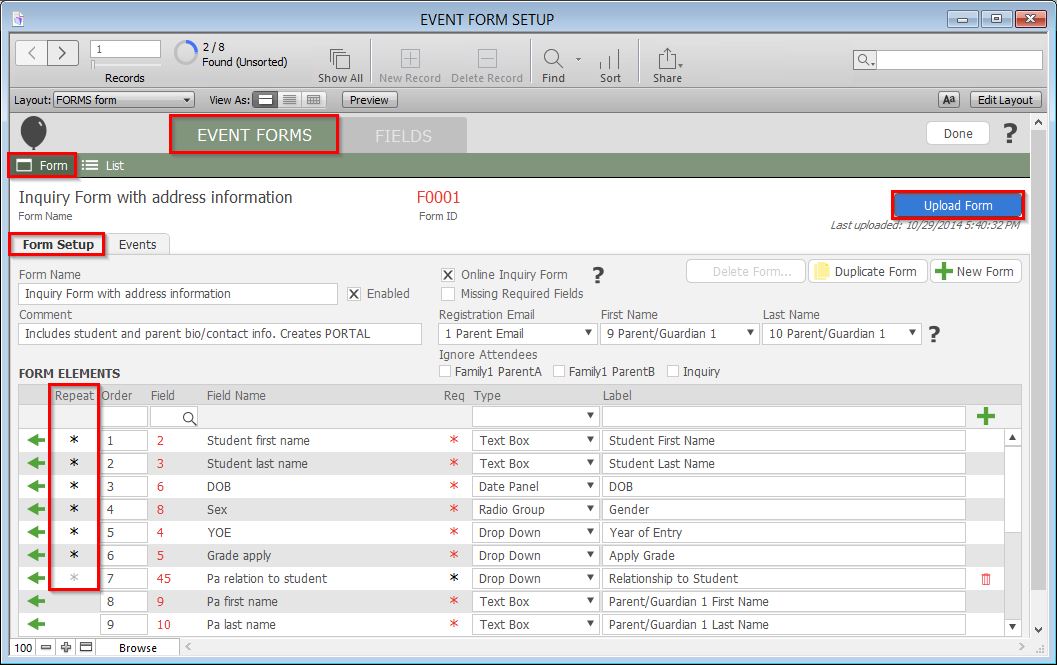
- Click on the gray asterix in the Repeat column next to the field or fields you wish to repeat. If the field does not exist in the list of Form Elements, see the Adding Fields to Forms section of this documentation.
- Click the blue Upload Form button to commit your changes.
