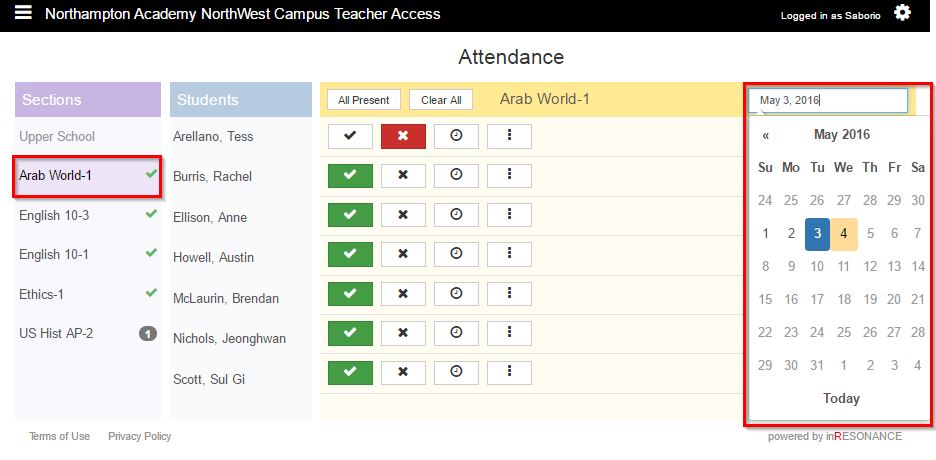
Past attendance may be viewed or edited from the Attendance domain.
- Select Attendance from the
 hamburger dropdown menu.
 - Select the Section. The students in that section will appear in the students column.
- Click the date. A calendar will open.
- Select the date you wish to manage attendance for.
- Select present, absent, or late for each student.
- Click the Clear All button to undo all attendance marks. Attendance notes will not be deleted.