
In TAM2 teachers are unable to print their schedules. A copy of a teacher schedule can be produced in KEYSTONE. Your registrar can provide you with a copy.
To view a teacher schedule in Teacher Access.
- From the Dashboard, click on the blue text located on the bottom left labeled My Schedule. Your graphic schedule will open in a separate window.
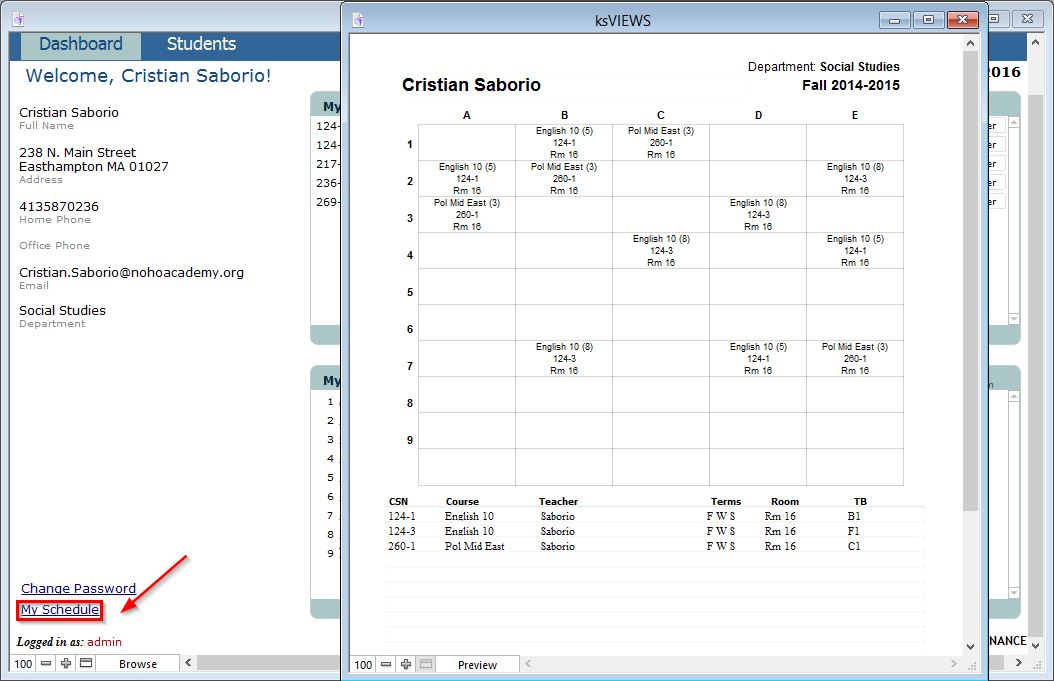
- Choose Print from the FMP File menu.
- To return to the Dashboard, close the schedule window as you would close any window on your computer.
