Any TAM2 users can use the All Students view to see the grading history for TAM2 classes for this academic year.
Teachers can also see the grading history for their current students, in your section, via the My Students view.
- Select All Students from the
 hamburger dropdown menu, and use the filters to find and select the student in question.
 - Select a Section for the student.
- Click on the Grade History/Comments tab. You will see the Marks and Comments (if any) for the current Marking Period.
- Click on View Section Comment to see the teacher’s class-wide comment.
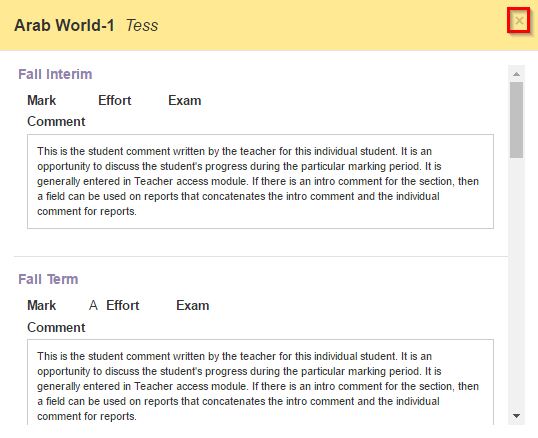
- To view the entire grading history for this student, for this section, for this year, click on View Grading History
- Click the X button to close the window.