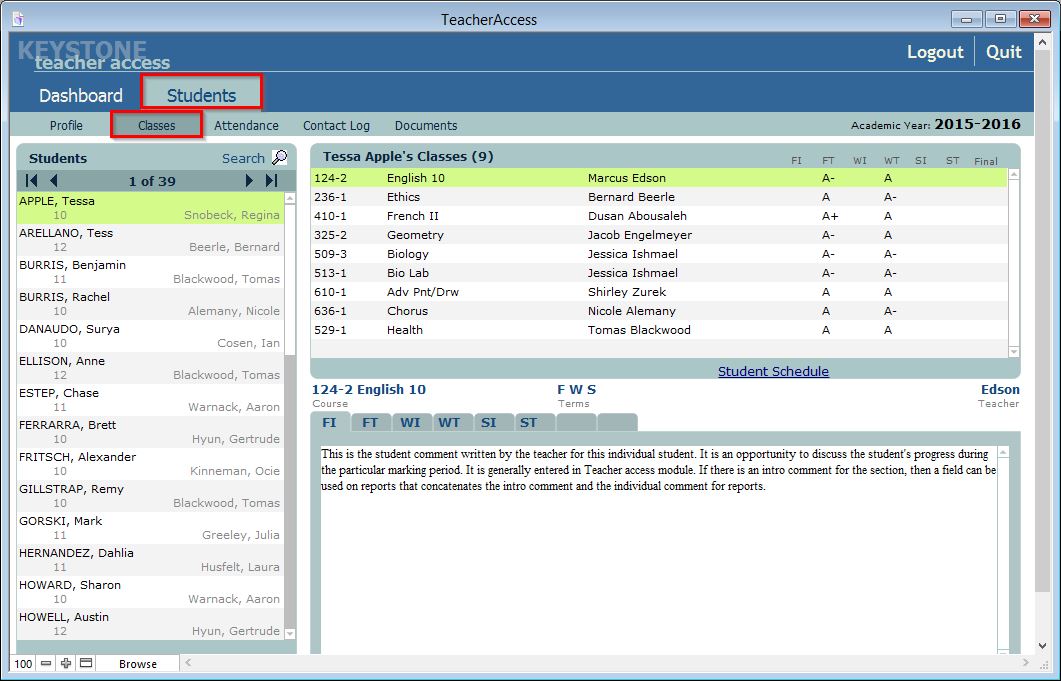
The Classes screen (Students > Classes) allows you to view your students’ and advisees’ grades and comments for all classes for which they are enrolled in the current academic year. You cannot enter grades or comments from this screen.
- To view a specific student’s grade and comment information, click the Classes sub tab.
- Search for the student by clicking the Search icon on the right.
- Select the student from the list on the right. When selected, his or her name will be highlighted in yellow. The student’s classes will appear on the top right of the screen.
- Click the desired class from the list.
- Click the desired term tab below to view grades and comment information.