Once a transaction has been created, it can be linked to an event by selecting the event from the pull down menu in that transaction record in the Transactions file. See Giving: Transactions Overview for more detailed information on creating transactions and linking them to events.
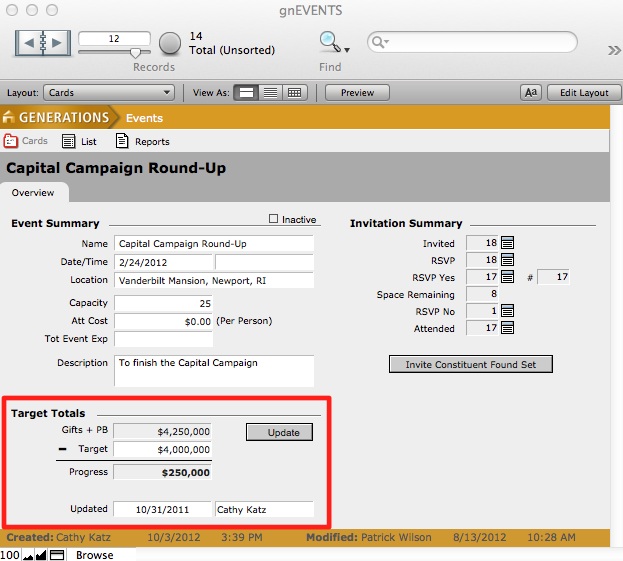
The total of all transactions linked to an event can be seen in the Target Totals window in the Events file.