
There are two standard reports associated with Appeals. These are accessible from the Reports button located in the menu bar.
NOTE: There are more detailed appear reports available in Transactions.
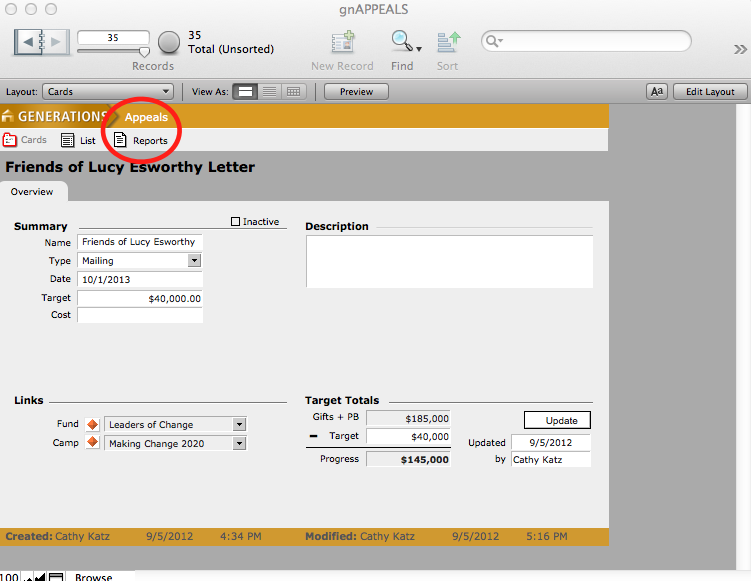
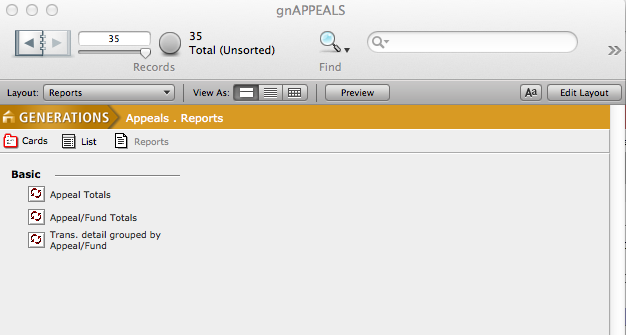
- Appeal Total: Details campaign transactions summarized by appeal.
- Appeal/Fund Totals: campaign transactions summarized by appeal and fund.
- Trans detail grouped by Appeal/Fund: Details every campaign transaction per fund and/or appeal.
- To print a report, select the desired report by clicking the appropriate button.
- A dialogue box will ask if you want to run the report for this appeal only or the found set. Click the desired button.
- The Report dialogue box will appear. If you wish to enter a report name different from the default name listed, enter a new name in the Override field.
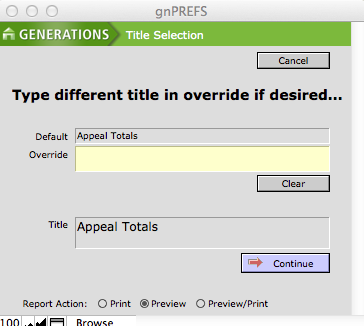
- Select the desired radio button at the bottom of the window to Print, Preview or Preview/Print.
- Click Continue.
