
To Create a New Fund
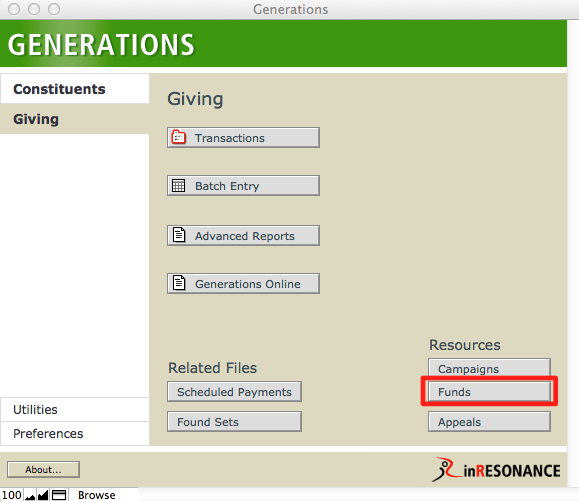
- From Central Navigation, click Funds.
- Create a new record by clicking on the New Record button in the status area, or by selecting New Record from the Records menu.
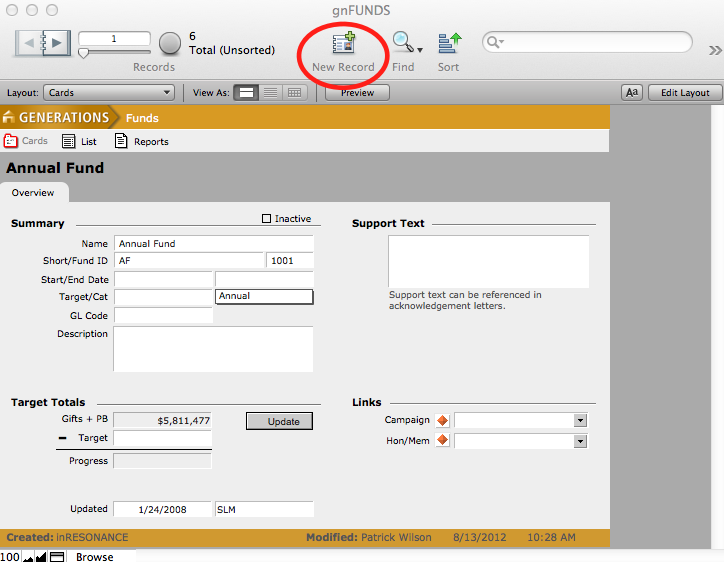
- A new blank record is created with a unique fund id.
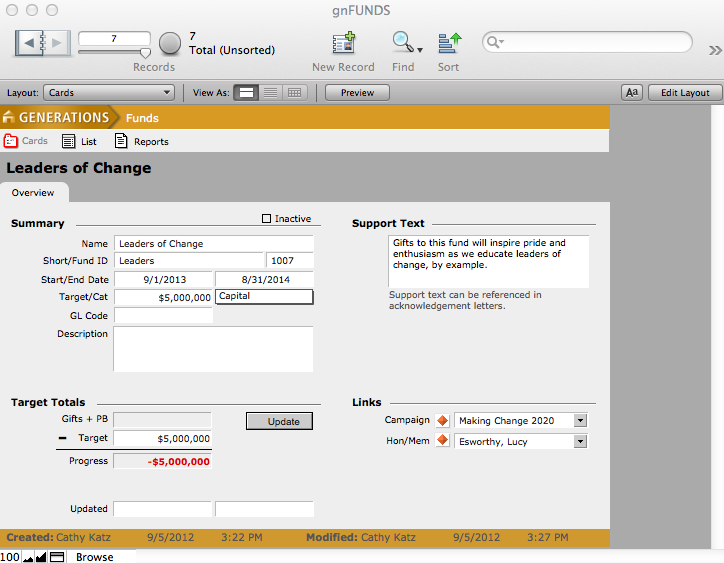
- Enter the fund name, start and end dates, and a GL code if appropriate. Select whether this is an Annual, a Capital, or Other fund from the Category pull-down menu. Enter a description of the fund and any supporting text to be referenced in acknowledgement letters.
NOTE: A Category must be selected otherwise Transactions Totals on the Transactions page in Constituents will not account for any transactions linked to the fund.
Campaigns and/or Hon/Mem constituents can be associated with individual funds by clicking the pull down menus in the Link window and choosing the desired campaign or Hon/Mem.
A fund can be designated inactive by clicking the Inactive checkbox at the top of the screen. This will remove this fund as a choice when linking transactions and appeals to funds, but will not delete this fund.
