
Because you perform different tasks within Constituents than in Transactions, the letters, labels and reports that are available to you in each file differ. Letters, labels and reports are prepared for a given Found Set.
A basic set of sample letters and labels is provided. Best practices suggest that you follow non-destructive editing practices: use these letters as templates to duplicate for your new letter.
Your new letter can be added to the Letters and Labels screen, or, preferably, it can be added to the Letters available in your Layout menu while in Layout mode. This is described in detail later in this article.
Letters and Labels are instantly merged. They display differently in different modes:
- Browse mode displays merged letters, one for each constituent in your found set. Examine each individual letter by clicking on the pages of the Book in the status area.
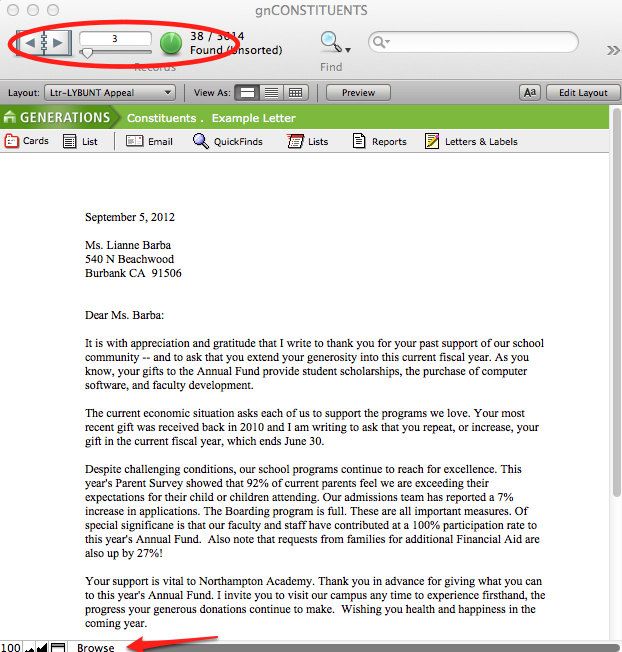
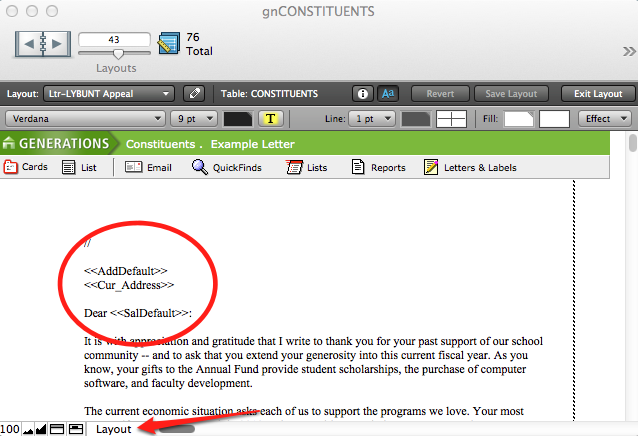
- Layout mode displays the merged fields in your letter.
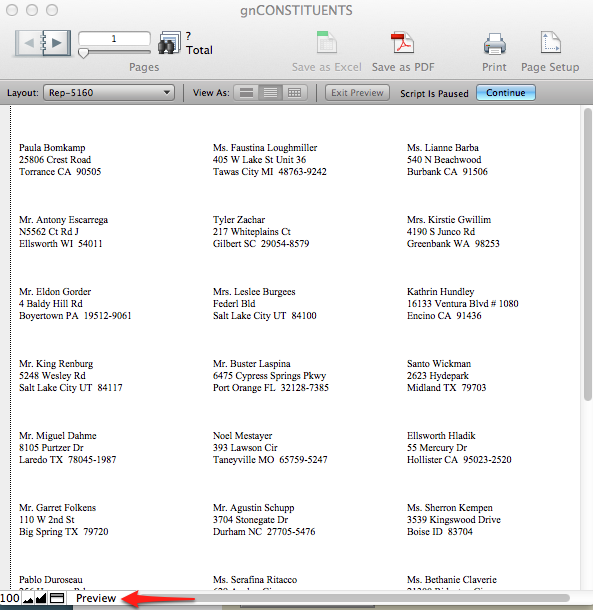
- Preview mode displays Labels as they will print.
Constituents File: Letters and Labels
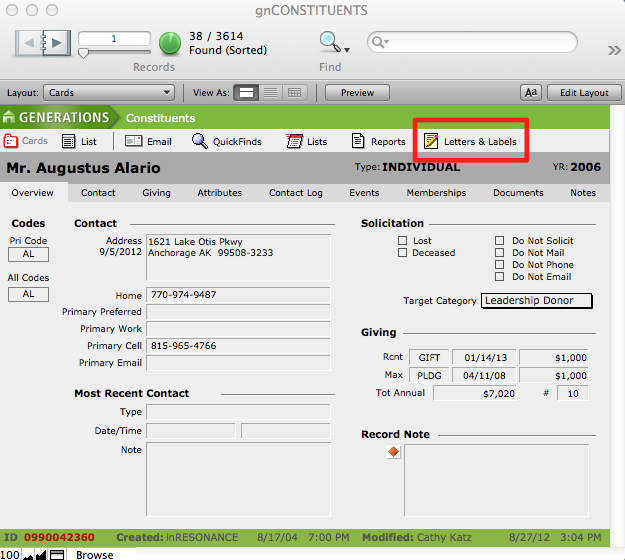
A variety of letters and labels are available by clicking the Letters & Labels button in the menu bar at the top of the screen.
- Create your Found Set of constituents.
- Navigate to Letters and Labels by clicking the button in the task bar.
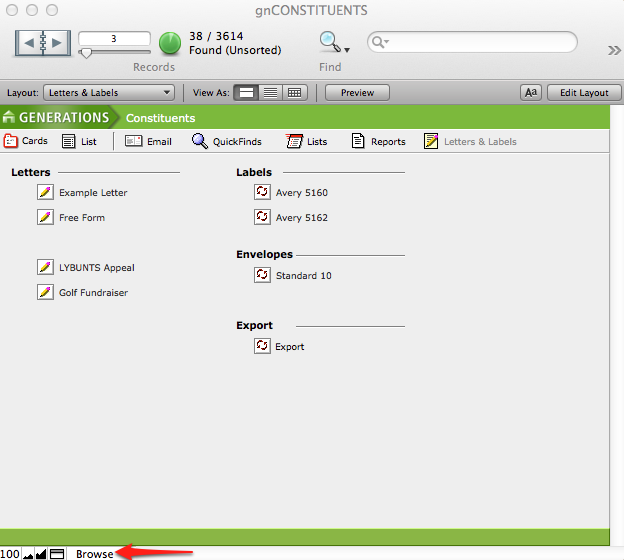
Letters
- Example Letter—with a Letterbox section for easy personalization of individual letters in your found set
- Free Form Letter—includes merge fields for date, addressee, and salutation
- LYBUNTS Appeal—a sample letter for those donors who gave Last Year But Not This
- Golf Fundraiser—sample letter
Labels
- 5160: Prints Avery 5160 formatted labels
- 5162: Prints Avery 6162 formatted labels
Envelopes
- Standard 10: Prints addresses information formatted for a standard 10 envelope
Export
- Export
Constituents File: Reports
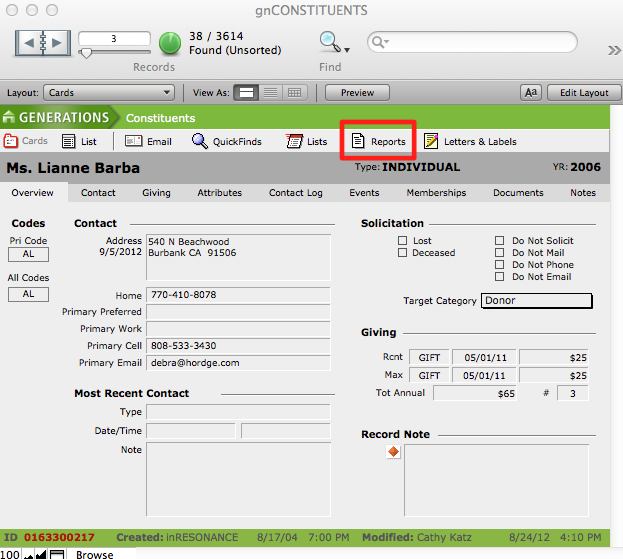
A variety of reports are available by clicking the Reports button from the menu bar. Reports are layouts that use scripts to display constituent information.
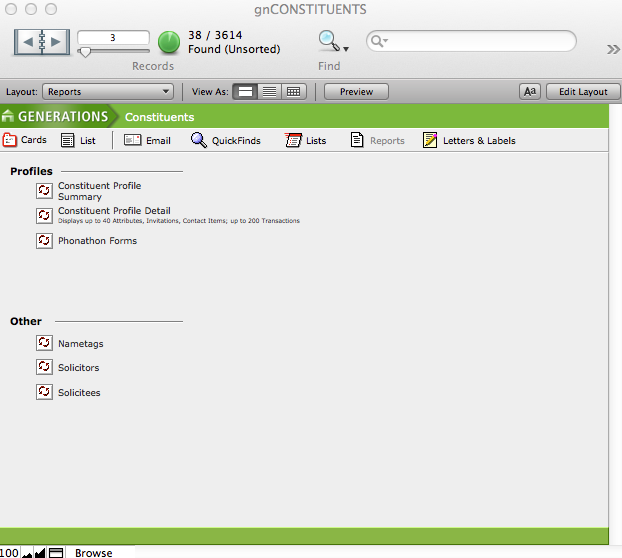
Profiles
- Constituent Profile Summary
- Constituent Profile Detail
- Phonathon Forms
Other
- Nametags
- Solicitors
- Solicitees
Transactions File: Letters and Labels
A variety of letters and labels are available by clicking the Letters & Labels button in the menu bar at the top of the screen.
- Create your Found Set of constituents.
- Navigate to Letters and Labels by clicking the button in the task bar.
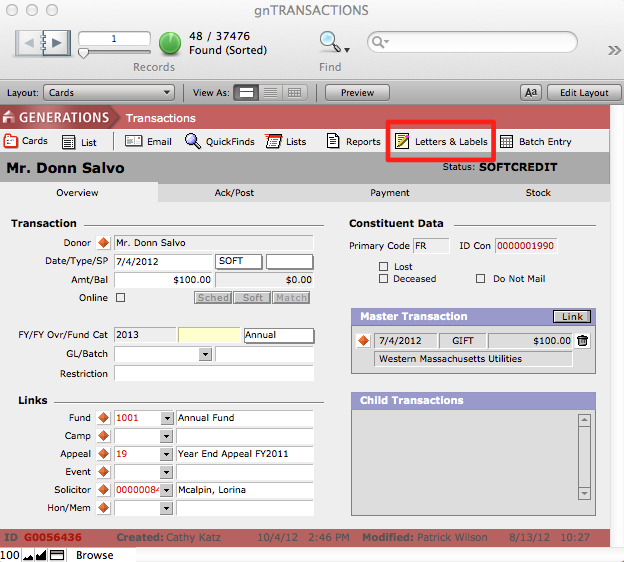
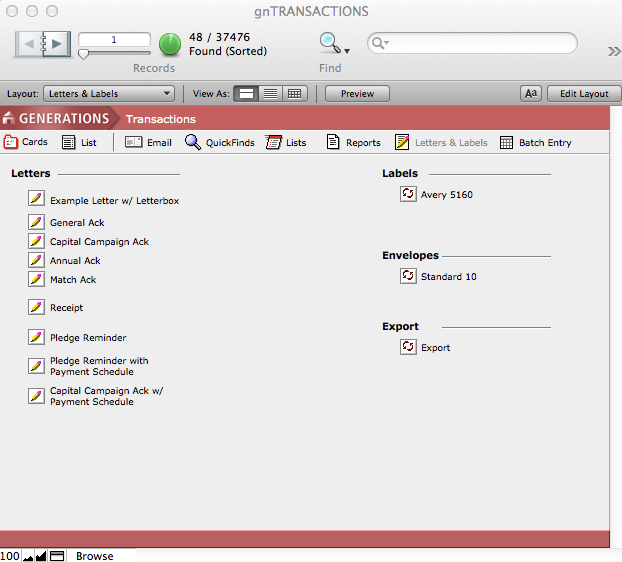
Letters
- Example Letter w/ Letterbox—for easy personalization of individual letters in your found set
- General Acknowldegement Letter
- Capital Campaign Acknowledgement Letter
- Annual Fund Acknowledgement Letter
- Matching Gift Acknowledgement Letter
- Receipt
- Pledge Reminder
- Pledge Reminder with Payment Schedule
- Capital Campaign Acknowledegement Letter with Payment Schedule
Labels
- 5160: Prints Avery 5160 formatted labels
- 5162: Prints Avery 6162 formatted labels
Envelopes
- Standard 10: Prints addresses information formatted for a standard 10 envelope
Export
- Export
Transactions File: Reports
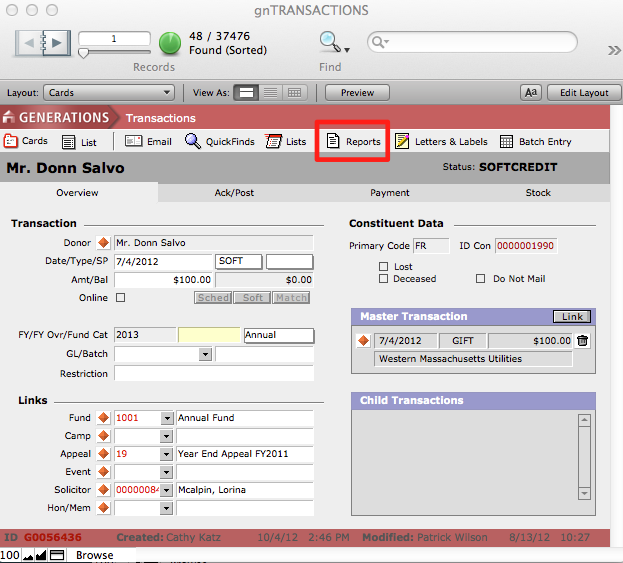

Basic
- Trans. detail grouped by Fund
- Fund Totals
- Trans. detail grouped by Donor
- Donor Totals
- Donor/ Fund Totals
Event
- Event Totals
- Event/Fund Totals
- Trans. detail grouped by Event/Fund
Appeal
- Appeal Totals
- Appeal/Fund Totals
- Trans. detail grouped by Appeal/Funds
Campaign
- Campaign/Fund Totals
- Trans. detail grouped by Campaign/Fund
Data Entry
- Cash Receipts Journal
- Trans. Entry Validation
Fiscal Year
- FY/Fund Totals
- FY/Fund Category Totals
- Primary Constituent/FY Totals
Solicitor
- Solicitor Totals
- Solicitor/Fund Totals
- Trans. detail grouped by Solicitor/Fund
Hon/ Mem
- Hom- Mem Totals
- Hom-Mem/ Fund Totals
- Trans. detail grouped by Hom-Mem/Fund
Others
- Date/Fund Totals
