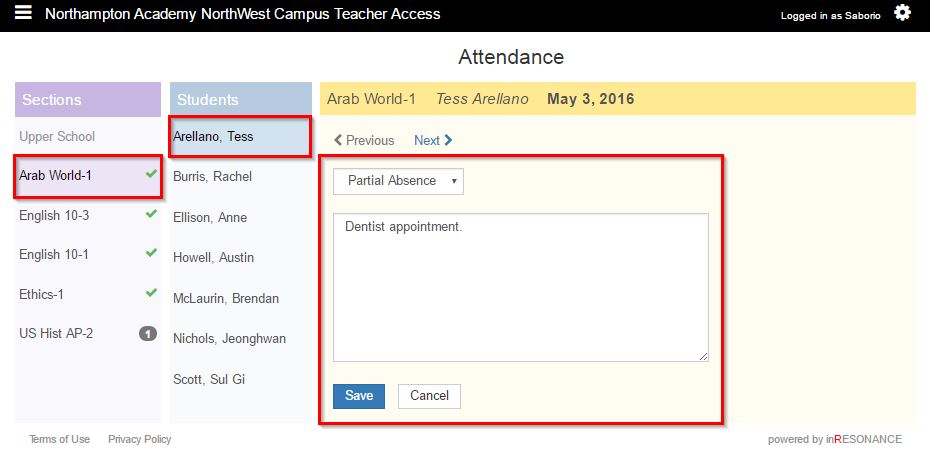
Attendance notes give details about absent or late marks.
- Select Attendance from the
 hamburger dropdown menu.
 - Select the Section. The students in that section will appear int he students column. Existing attendance notes will appear as note icons in the attendance chart.
- Select the Student or click the vertical ellipses button.
- Select the attendance status from the dropdown menu.
- Enter a note.
- Click Save.