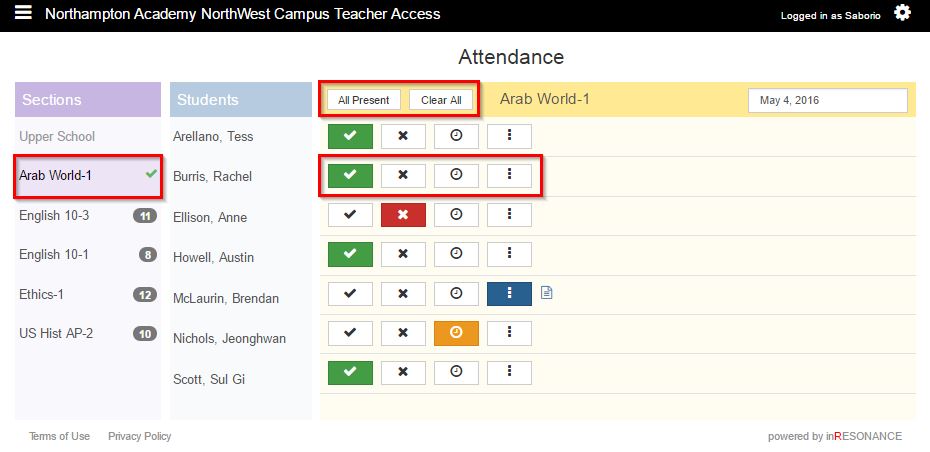
Attendance is marked with:
- a checkmark for present
- an x for absent
- a stopwatch for late
- a vertical ellipses for partially absent
The number of students for whom attendance has not been taken is listed next to the section name. A checkmark next to a section name indicates that attendance is complete for that section.
- Select Attendance from the
 hamburger dropdown menu.
 - Select the Section. The students in that section will appear in the students column.
- Click All Present if all student are present.
- Select present, absent, or late for each student.
- Click the Clear All button to undo all attendance marks. Attendance notes will not be deleted.