
Recording a Pledge Write Off (PWO)
A pledge that has not been paid may be written off at any time.
- Navigate to the Giving History screen in Constituents and find the desired constituent.
- Locate the particular transaction in the Giving History window you wish to write off. If necessary, use the scroll bar in the window to find the transaction.
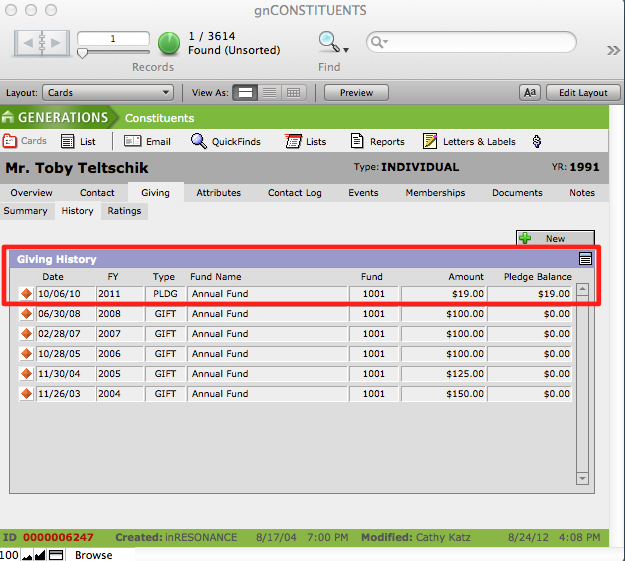
- Click the orange diamond button beside the transaction to navigate to that particular transaction.
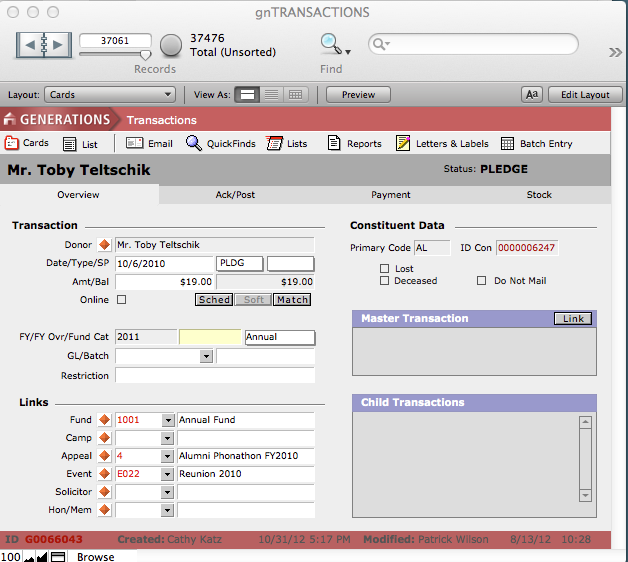
- This will navigate you to the Overview screen in the Transactions file.
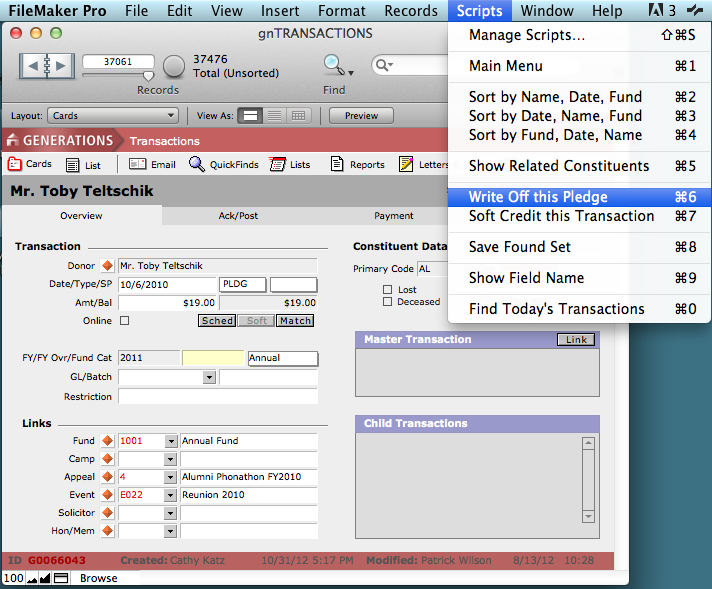
- From the Scripts menu, select Write Off this Pledge.
This will navigate you to the Batch Entry screen and the constituent’s information will autofill in the Enter Transaction Information window. Notice that the Type is PWO and the amount is the pledge balance of the linked transaction.
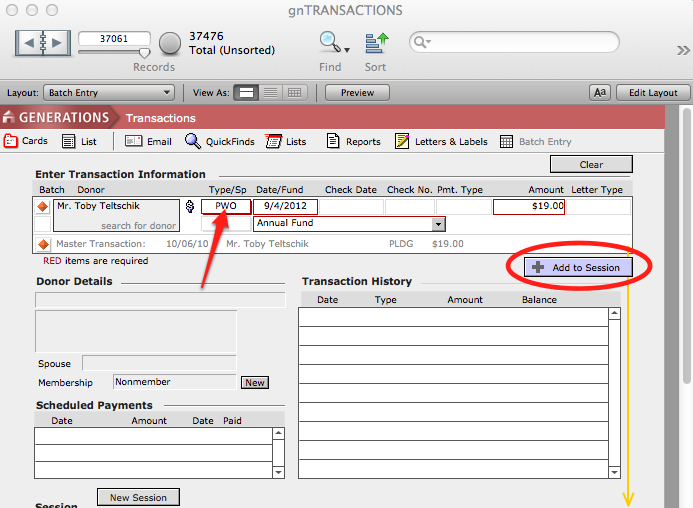
- Click the Add to Session button.
The transaction is recorded and the pledge is now designated as a Pledge Write Off or PWO.
