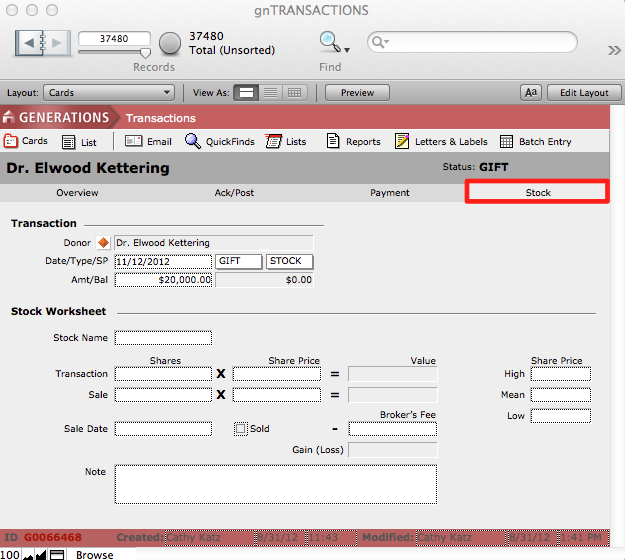
Transactions of stock are recorded as STOCK.
- Find the constituent for whom you wish to record a donation of stock by clicking search for donor in the Enter Transaction Information window in Batch Entry.
- Create a new transaction and indicate it as a GIFT from the Type pull down menu.
- Select STOCK from the Sp pull down menu.
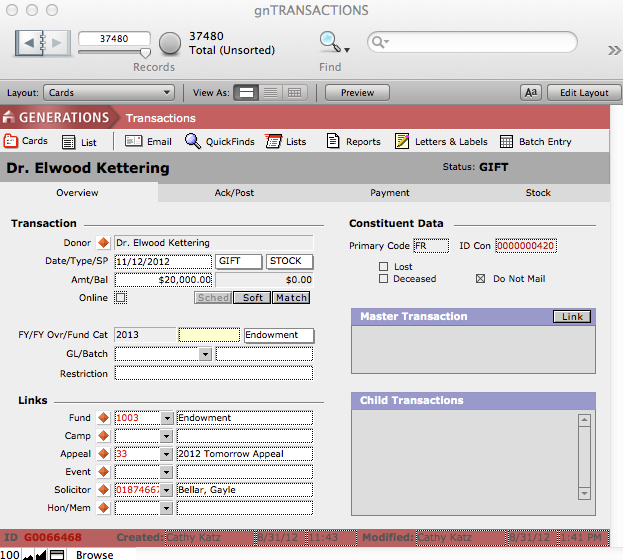
- Enter a transaction date, a dollar amount, and link it to a fund.
- Click the Add to Session button.
The transaction will be loaded into the Transaction History and Session windows.
Depending upon your organization’s policies and procedures you may or may not want to record information regarding how many shares of stock were donated and their price at the time of the donation. This information may be recorded on the Stock screen in Transactions.
- Click the orange diamond button next to the stock transaction on the Batch Entry screen.
This will navigate you to the Overview screen in Transactions.
- Click the Stock tab and complete any necessary information.