
Transaction records need to be updated on a regular basis. Updates compute annual giving totals, consecutive year data, giving extremes, and constituent ask data. Updates can be done for individual constituents or for a found set.
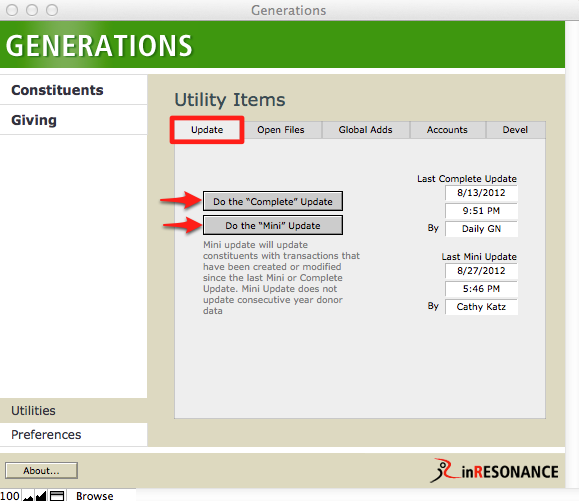
There are two types of updates: Mini and Complete. Mini updates update constituents with transactions that have been created or modified since the last Mini or Complete Update. Complete Updates update all constituent records.
Updates can be accomplished from two locations:
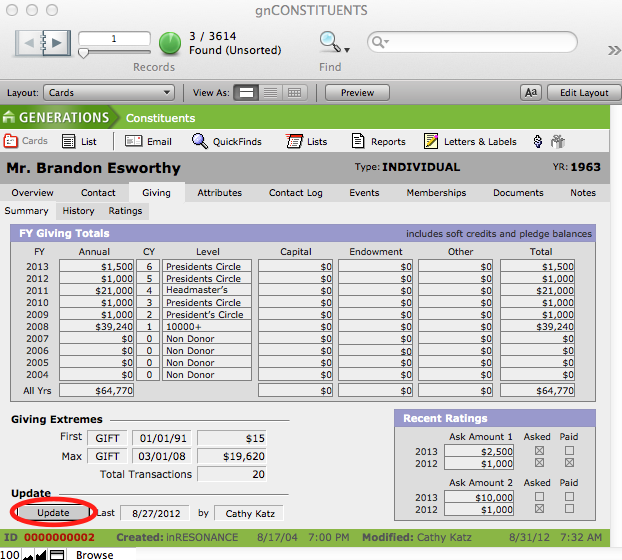
- From the Giving > Summary screen in Constituents—A single record can be updated or a found set of records by clicking the update button. You will be asked whether you want to update a single record or a found set.
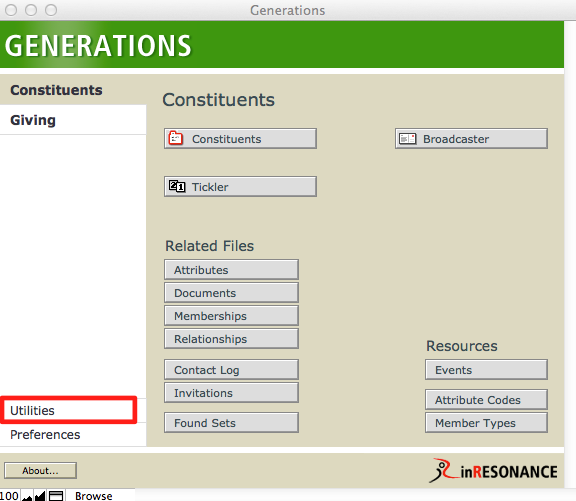
- From Central Navigation > Utilities—A mini or a complete update of all constituent records can be performed.
NOTE: Updates can take some time depending upon how many constituents are being updated.
- Mini Update does not account for deleted transactions. Use Complete Update or update the affected constituents from Constituents > Giving > Summary screen.
