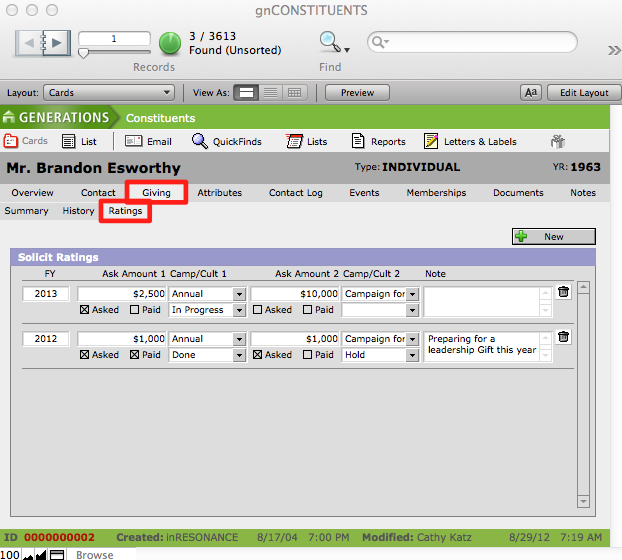
While individual transactions are managed in the Giving section of GENERATIONS 3.x, an overview of the giving history and prospect ratings of a constituent are on display in Constituents > Giving tab. The Giving tab has three sub-tabs: Summary, History, and Ratings.
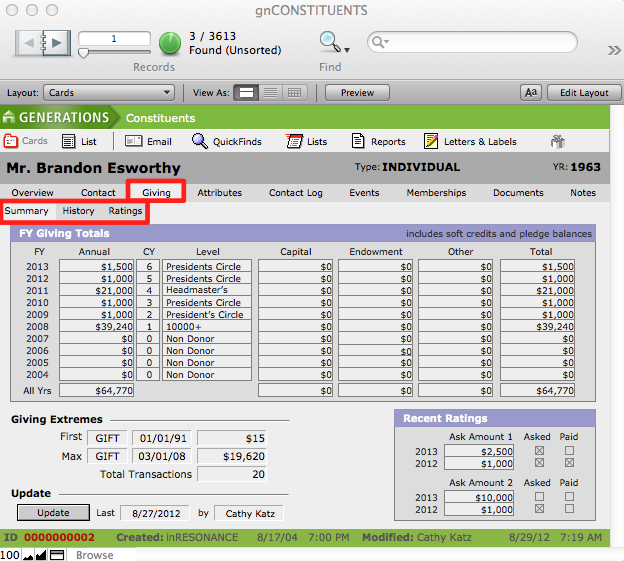
Giving Summary
The Summary screen in the Constituents > Giving file provides a list of the constituent’s transaction amounts summarized per year for the last ten fiscal years. Additionally, the constituent’s first transaction, the most recent transaction, the largest transaction made, and the total number of transactions for this constituent record are all displayed here. The current and last fiscal years’ ask amounts are displayed on this screen in Recent Ratings.
The information displayed on the Summary screen is not modifiable.
To Update Constituent Giving History
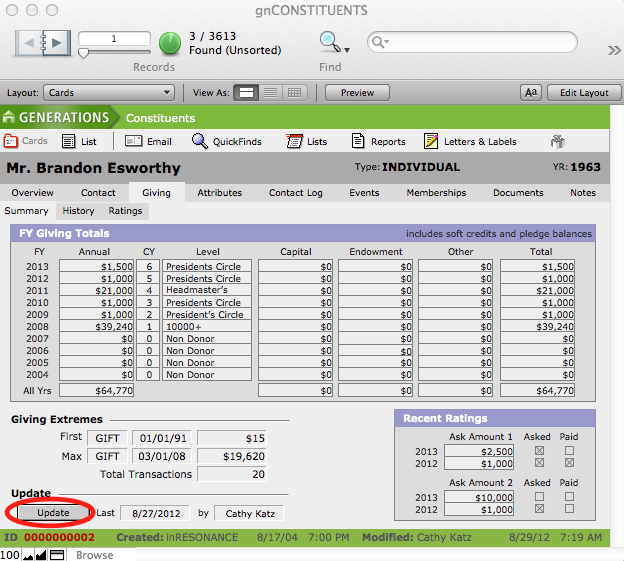
Run an Update to refresh the constituent’s historical giving data. You can run an update from within a constituent record on the Giving > Summary tab, or you can run an update from within the Utilitiesfile.
- In Constituents > Giving > Summary, click the Update button.
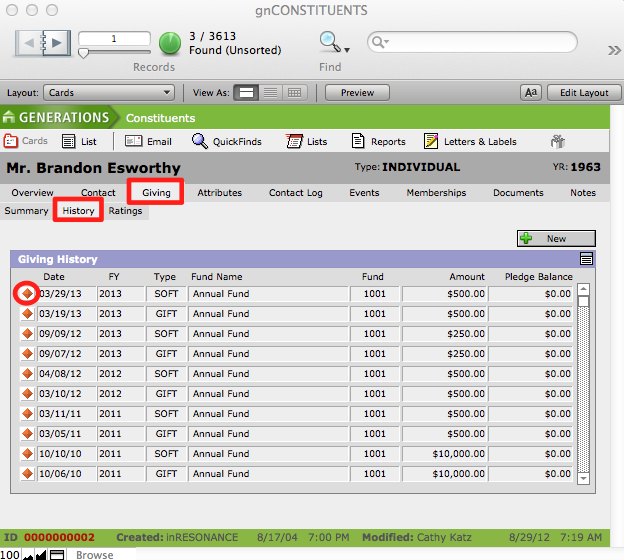
Giving History
The History screen provides a list of all transactions recorded for the constituent, in reverse chronological order, and a button to enter new transactions for the individual constituent. Additionally, you can navigate to individual transactions within the Transactions file by clicking the orange diamond button located beside each listed transaction.
Prospect Ratings
The Ratings screen allows you to enter your target donation amounts—Ask Amounts—for an individual constituent, and view the ratings history for a donor.