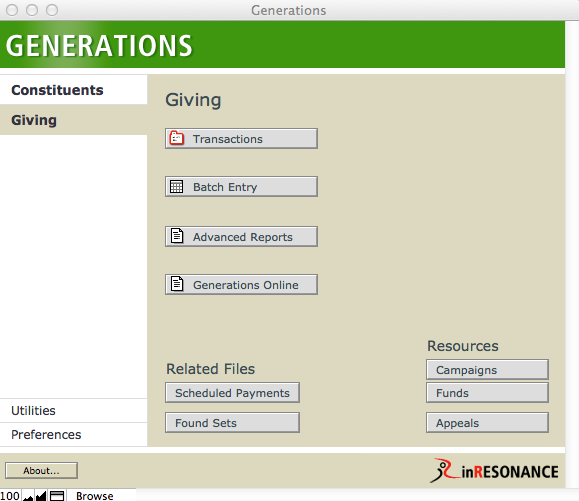
An overview of an individual constituent’s transaction history can be viewed from the Constituents file. Transactions can be entered from the Constituents > Giving tab on a constituent-by-constituent basis. However, the Giving area of GENERATIONS is where you will spend most of your time managing transaction information. The Transactions file is where you will track and research gifts, and enter detailed information about a given transaction. The Batch Entry file is where you will record a number of transactions for a number of different constituents.
The Transactions File
The Transaction file contains a record for every transaction recorded for every constituent. There are four primary screens in the Transactions file: Overview, Ack/Post, Payment and Stock.
Transactions Overview Screen
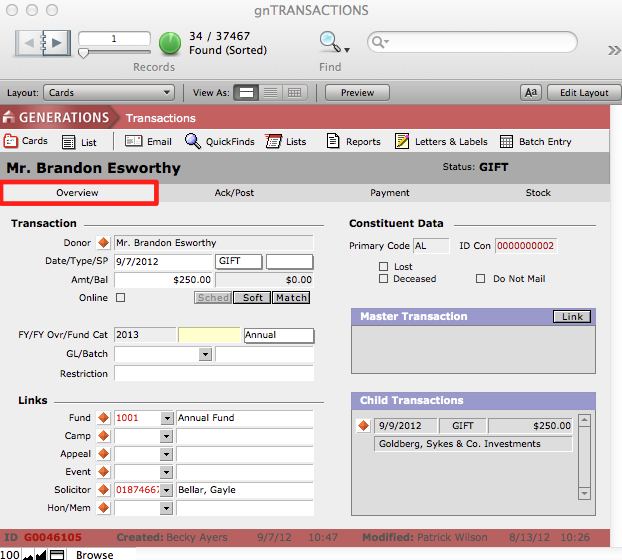
The Transactions > Overview screen provides detailed information about an individual transaction. The type of transaction, date of transaction, any campaign, fund, appeal or other transactions linked to it, and any notes about the transaction are all displayed on this screen. It is also possible to link the transaction to other transactions (e.g. pledge payment > pledge) from this screen. While the information on this screen is modifiable, this is not the primary screen for data entry—you will most likely do most of your gift entry on the Batch Entry screen. The Transactions screens will be useful for adding/modifying transaction details, and also for doing Finds. As with all iR solutions, you can view any screen in either a card view or list view.
Tracking Acknowledgement Letters
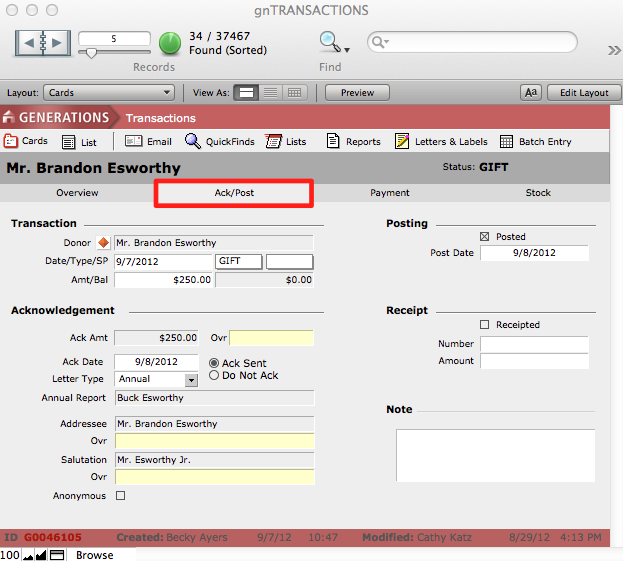
The Transactions > Ack/Post screen is where you record detailed information regarding acknowledgements that have been sent, as well as posting and receipt information. Addresses and salutations used in the merge fields for acknowledgements are displayed here. These are determined by the global preferences established upon installation but can be overridden on an individual transaction basis on the Ack/Post screen, using the Ovr fields.
Reviewing Payment Details
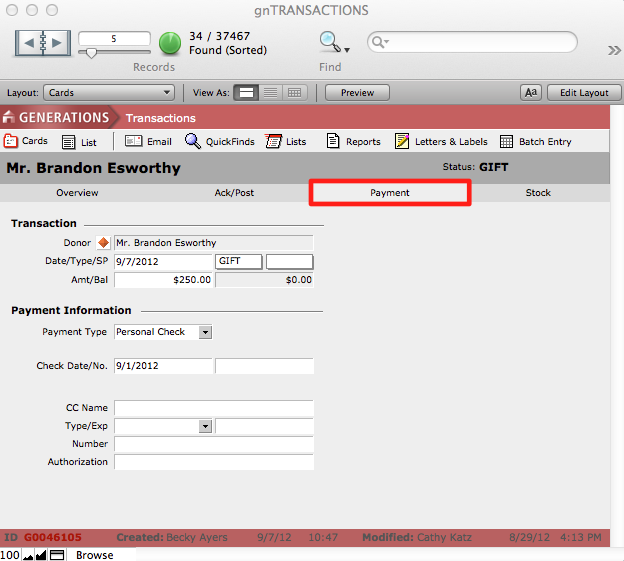
Additional payment information may be recorded on the Transactions > Payment screen.
Recording Stock Transactions
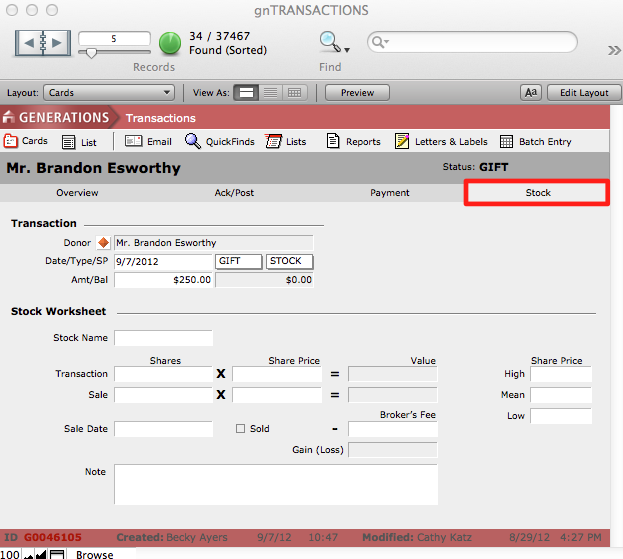
The Stock screen allows you to enter details about a stock transaction, including the number of shares of stock donated and their value at the time of the donation. If sold at a future date, the details of the sale can be recorded here.