
Viewing Documents in SANDBOX
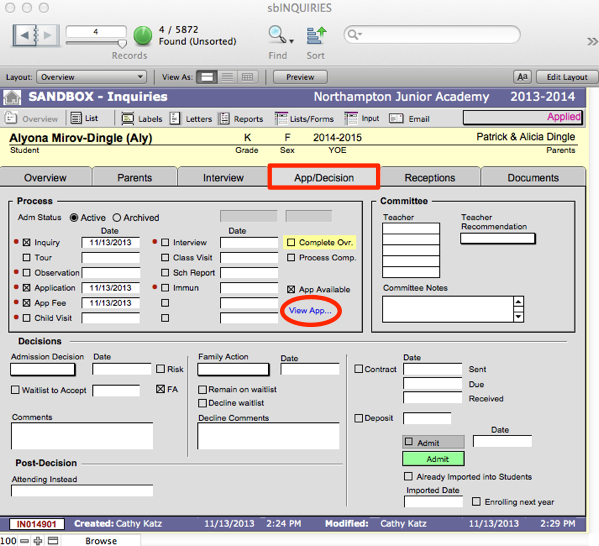
- An HTML view of applications retrieved via SBWS is accessible on the App/Decision tab of SANDBOX Inquiries. Click the blue View App link to view the application.
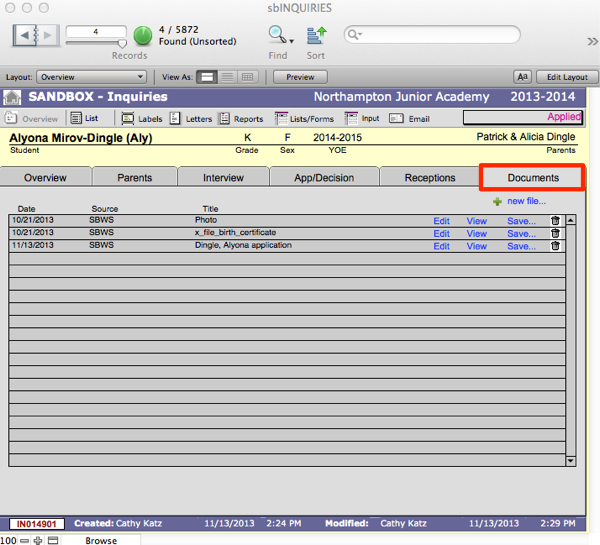
- All forms submitted via the upload widgets inside your online application can be viewed on the Documents tab within the individual’s inquiry record.
Uploading Documents Manually in SANDBOX
Documents and photographs submitted by mail, email, or in person can be scanned manually and added to an inquiry record on the Documents tab:
- Scan the document.
- Find the inquiry record associated with the scanned file.
- Navigate to the Documents tab in the inquiry record.
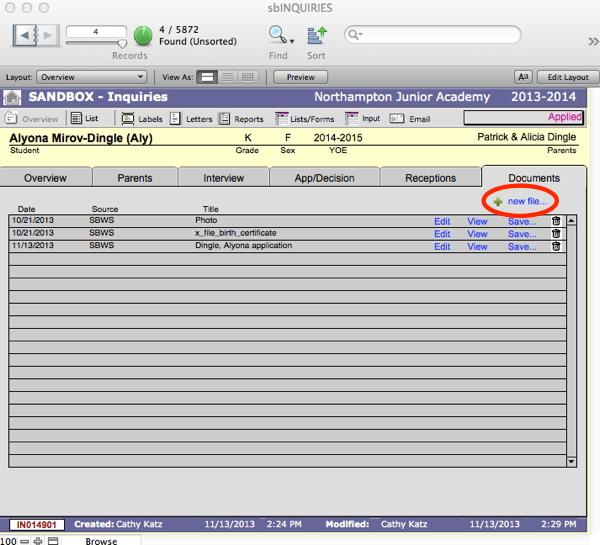
- Click +New File.
- Browse to locate the scan, select it, and Insert it into the inquiry record.
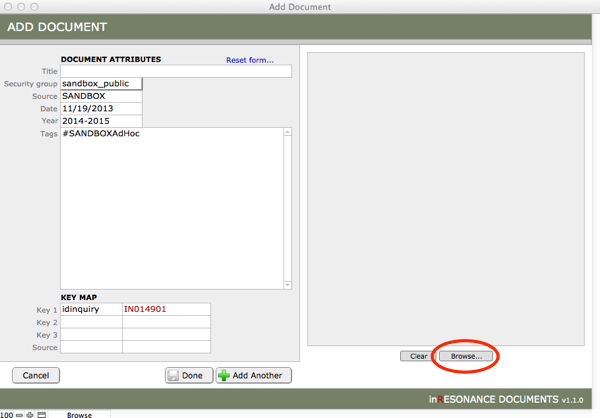
- Enter a Title for the document.
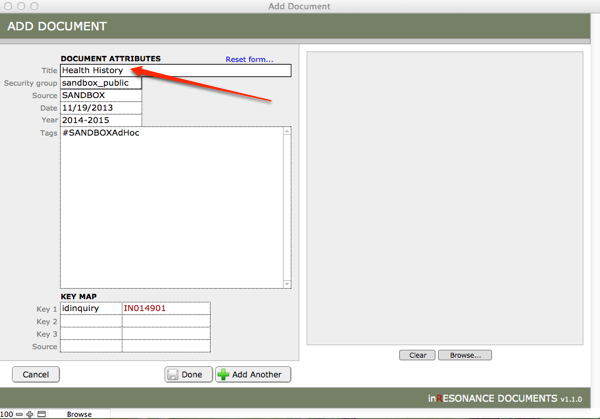
- Assign the proper Security Group from the pull-down menu.
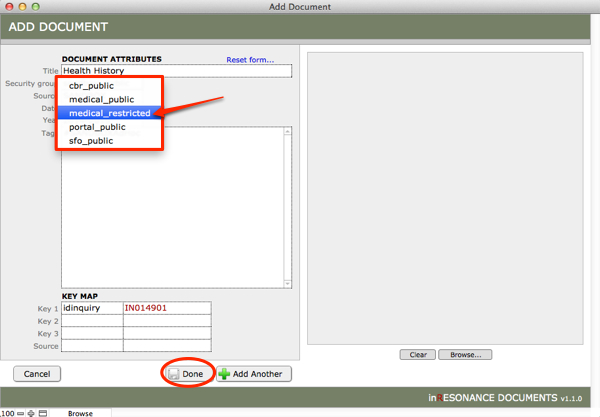
- Click Done.
To read more about document Security Groups, see the chapter on iRDocuments.
