
After completing all other end of the year procedures, it is necessary to change the preference settings in sbPREFS to reflect the Current Admissions Season, Current Academic Year, and Current Entry Year. This will set the default for new inquiries and will set the current year for records in the sbSTUDENTS file.
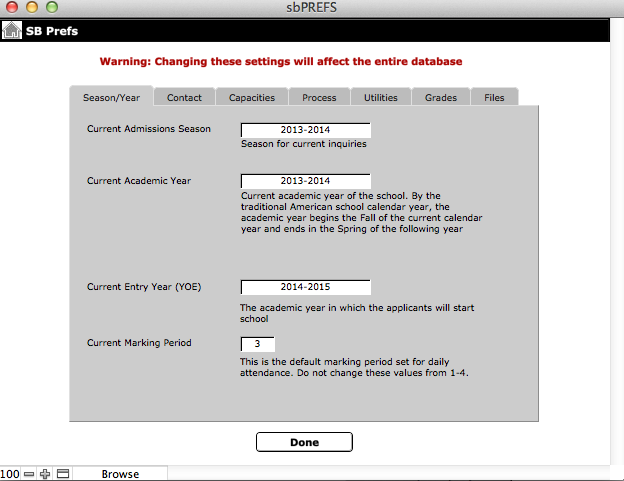
- Navigate to sbPREFS > Season/Year.
- Click Current Admissions Season and select the next admissions season.
- Click Current Academic Year and select the next academic year.
- Click Current Entry Year and select the next entry year.
- To exit, click Done.
Note: The Admission Season and Current Academic Year should be the same. YOE will be set one year ahead.
