
It is important to archive all the inquiry records from the last admission season before you begin working with inquiries for the next admission season. This allows you to easily find the current inquiries without having to exclude previous years’ inquiries.
- Navigate to sbINQUIRIES > Overview.
- Find all Active inquiries from the Admission Season now ending by finding Active records.
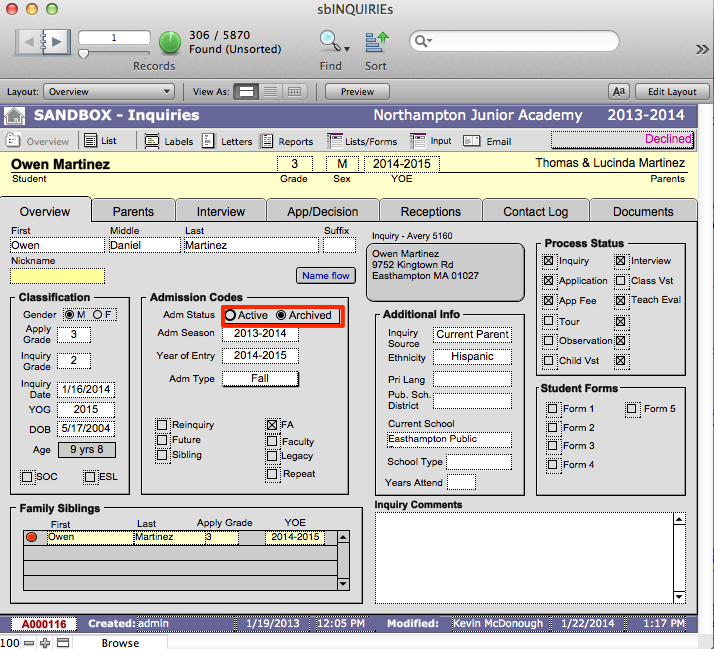
- Click Archived in the first record. Do not click anywhere else on the screen as your cursor needs to be in that field.
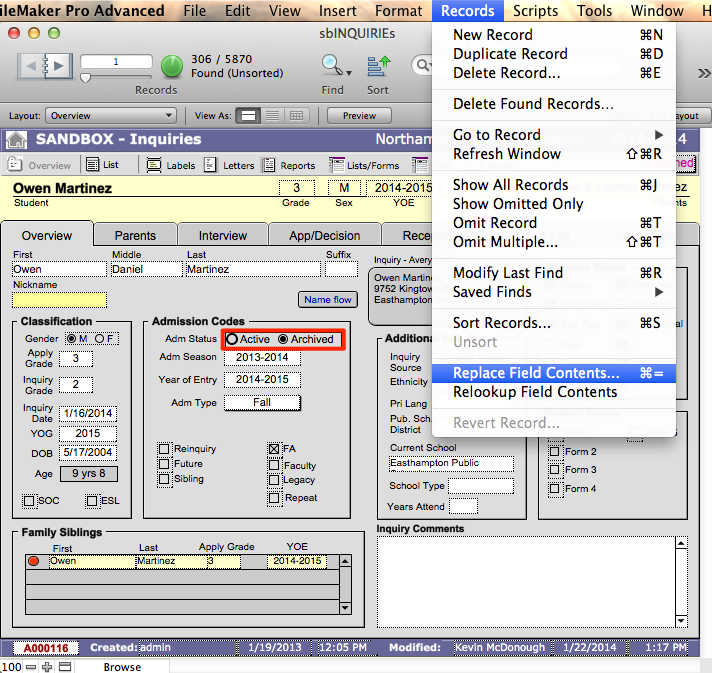
- Go to the Records menu at the top of the screen and click Replace Field Contents. A dialogue box will appear asking if you want to replace all selected records with Archived. Ensure the number of records is correct and click Replace.
- Last year’s records will now be archived.
Making Active Records for the Upcoming Season
- Find any records for the next YOE by finding on the field YOE. Please refer to SANDBOX concepts for a complete description of YOE and Admission Season.
- Change the Adm Status to Active in the first record. Do not click anywhere else on the screen as your cursor needs to be in that field.
- Go to the Records menu at the top of the screen and click Replace Field Contents. A dialogue box will appear asking if you want to replace all selected records with Active. Ensure the number of records is correct and click Replace. You now have your active records for the new admission season.
