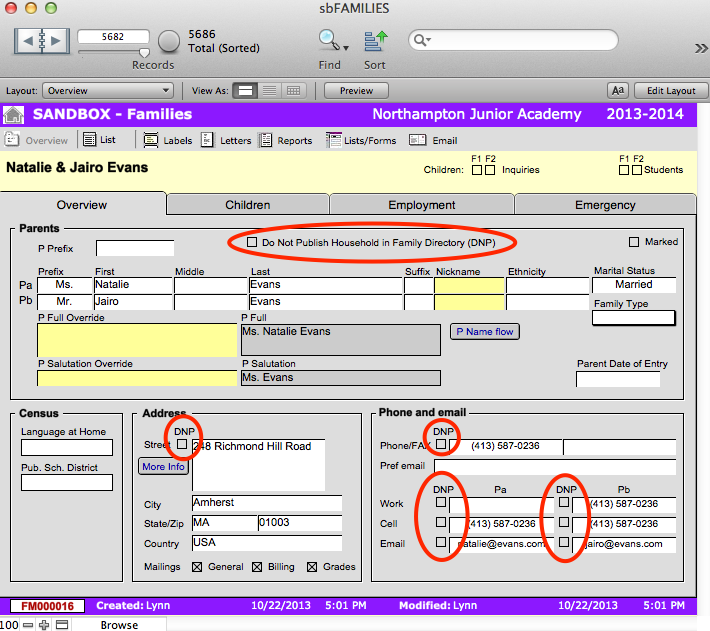
Sometimes a family will not want all or some of their personal information published in the family directory. SANDBOX allows the school to control which aspects of the family’s information is published. Note that the default is for all family information to be published, so Do Not Publish orders (DNP) must be applied manually to a family record.
To Not Publish All Family Information
- Navigate to sbFAMILIES > Overview.
- Find the family record which you wish to label DNP.
- Click Do Not Publish Household in Family Directory (DNP) on the top of the card. When generating a family directory from the Reports screen, this record will not be included.
- If you have the Family Access module, this will also prevent information from being published online.
To Not Publish Certain Information
- Navigate to sbFAMILIES > Overview.
- Find the family record which you wish to exclude certain information.
- Check DNP next to the fields containing information which the family wishes to exclude from the family directory. Information marked in this way will not be shown in the family directory.
- If you have the Family Access module, this will also prevent information from being published online.