
- Navigate to the sbSTUDENTS > Reenrollment.
- Click the Graduating QuickFind. Be aware that this will only work correctly if the Reenrollment Status is current.
- Look through the found set and omit any records for students who are not graduating by clicking in the name field and selecting Omit Record from the Records menu at the top of your screen. These students will remain in their current grade.
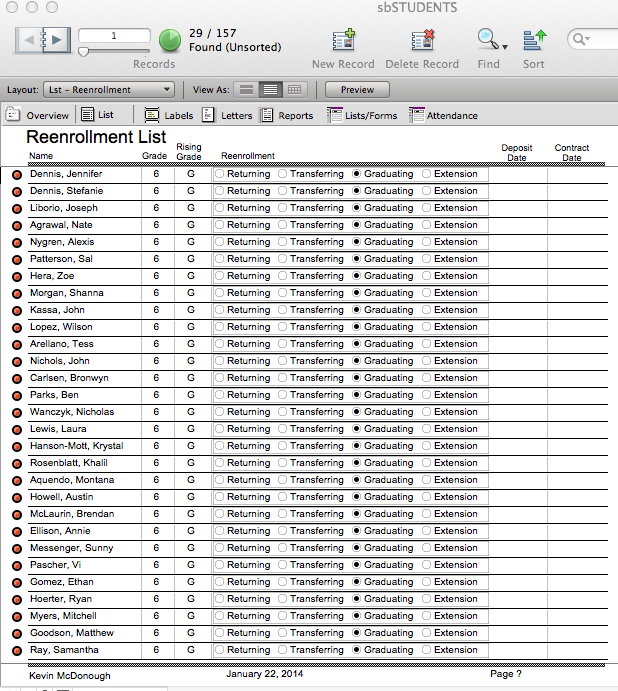
Caution: Make certain you omit any students who will be repeating. There is no undo once you have deleted records.
- Navigate back to sbSTUDENTS > Reenrollment.
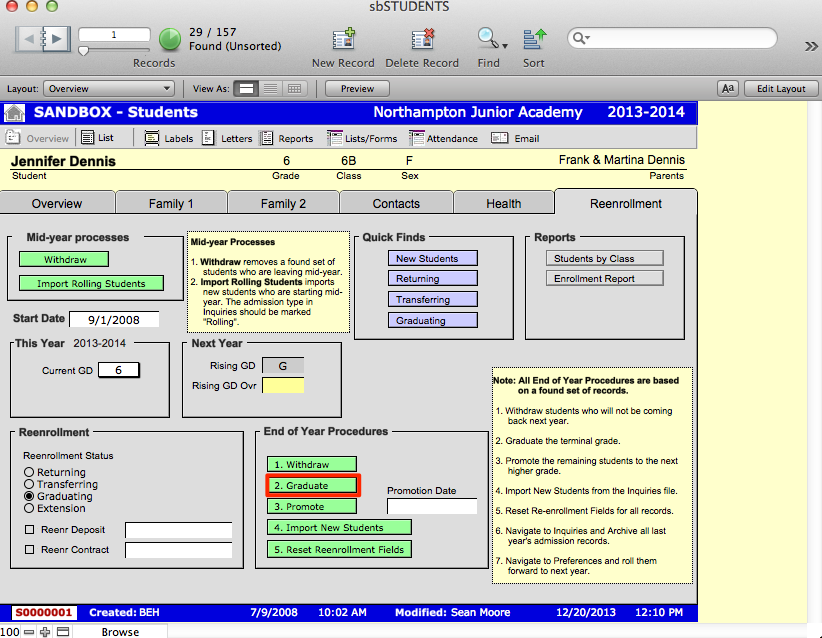
- Click Graduate. A dialogue box will appear asking if you have the correct found set.
- Select Proceed. This will create records for the sound set in sbARCHIVES. An overview list will appear with a dialogue box asking if you wish to permanently delete the total number of records in your found set from sbSTUDENTS.
- Select Delete All.
- Navigate to sbARCHIVES > Overview.
- Find the students you have just graduated by searching their Final Acad Year.
- Your found set should reflect the recently graduated students.
