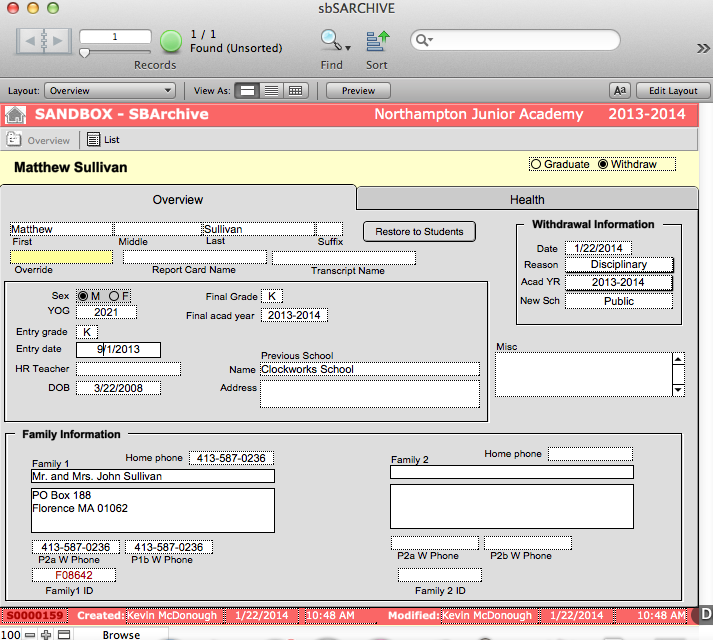
Sometimes a student will withdraw from a school during the middle of the year and will need to be taken out of sbSTUDENTS. In this instance the student record is transferred into sbARCHIVES as an archived record and the original record is deleted from sbSTUDENTS.
- Navigate to sbSTUDENTS > Overview.
- Find the student or students for whom you wish to withdraw.
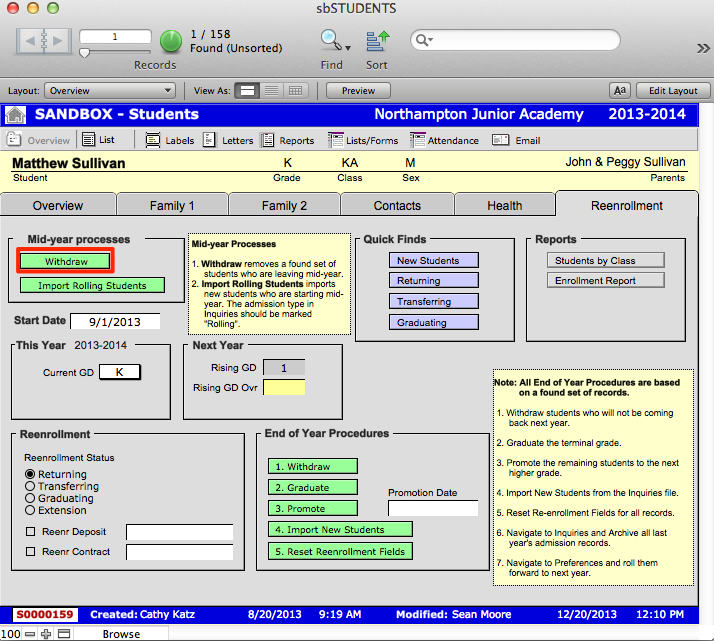
- Click the Reenrollment tab.
- Click on the green Withdraw button. This will bring up a dialogue box asking you to ensure that your found set is accurate.
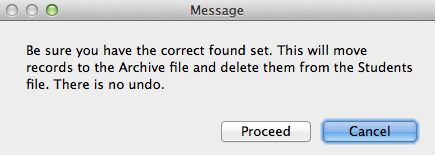
- Verify that the student (or students) in your found set is accurate and click Proceed. This will create an archived record for the withdrawing student or students in your found set. You will be directed to an Overview List of students withdrawn and a dialogue box asking you if you wish to delete the total number of selected records.
- Click Delete All. This will remove these records from the sbSTUDENTS file.
- Navigate to sbARCHIVES > Overview.
- Find the withdrawn students by searching for the appropriate Date of withdrawal (the date this action was performed) or find the students themselves.
- Your found set should reflect the recently withdrawn set.