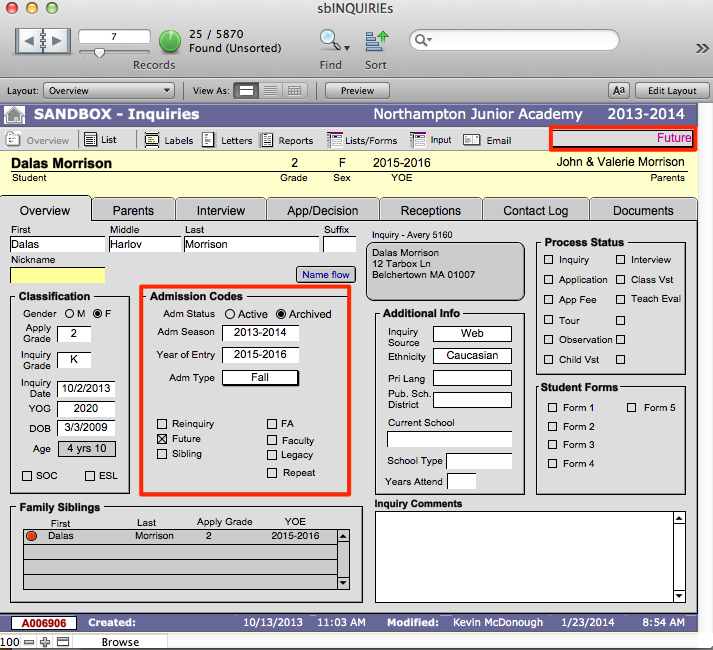
Sometimes students will apply for a year of entry beyond the next year of entry. In this case the inquiry is considered to be a Future and should be processed according to the below procedures.
- Navigate to sbINQUIRIES > Overview.
- Click Input.
- Enter the new inquiry and link it to a family. For help with this, refer to the Creating New Inquiries section under Managing Admissions. Note that for Futures, the YOE will be more than one year ahead of the Admission Season.
- Select Future in the student information section when creating the inquiry record.
- Enter the desired YOE.
- Navigate back to sbINQUIRIES > Overview. Notice that the inquiry record now appears with Future marked in the Admission Codes section.
- Change the AEStatus to Future.
- Mark the record as Archived in the Admission Codes section.
- When the appropriate admissions season approaches, this record will appear in your search for inquiries with that YOE.
- When the YOE becomes active, contact the family to see if they are still interested. If so, you should create a Re-inquiry for the child. Refer to the Creating New Inquiries section for entering Re-inquiries.