
In SANDBOX, Family1 is understood to be the custodial family, with whom the child resides, and whose address is the child’s primary address. To swap Family1 and Family2, start in sbINQUIRIES. The process will be to unlink both families and then relink them in the proper relationships.
Start in sbINQUIRIES.
- Perform a find for the affected student.
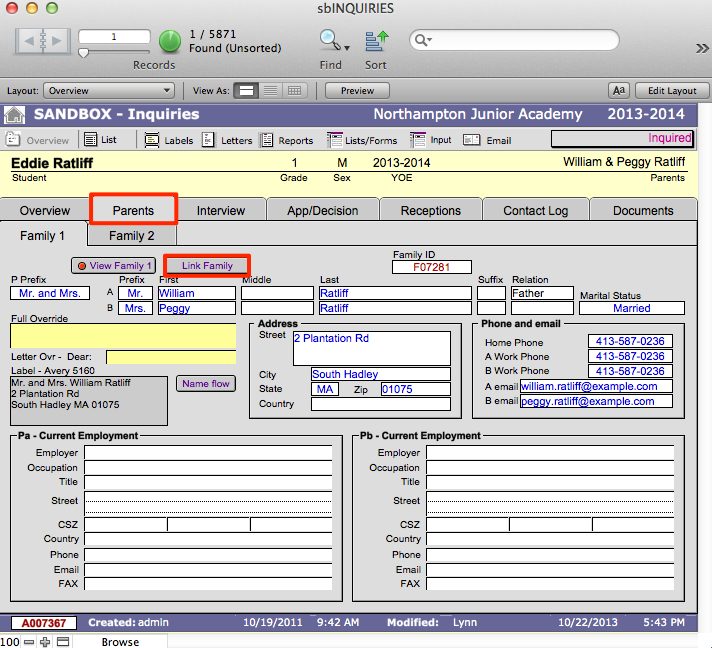
- Navigate to the Parents tab.
- Click the Link Family button, this will open the Link Inquiry To Family window.
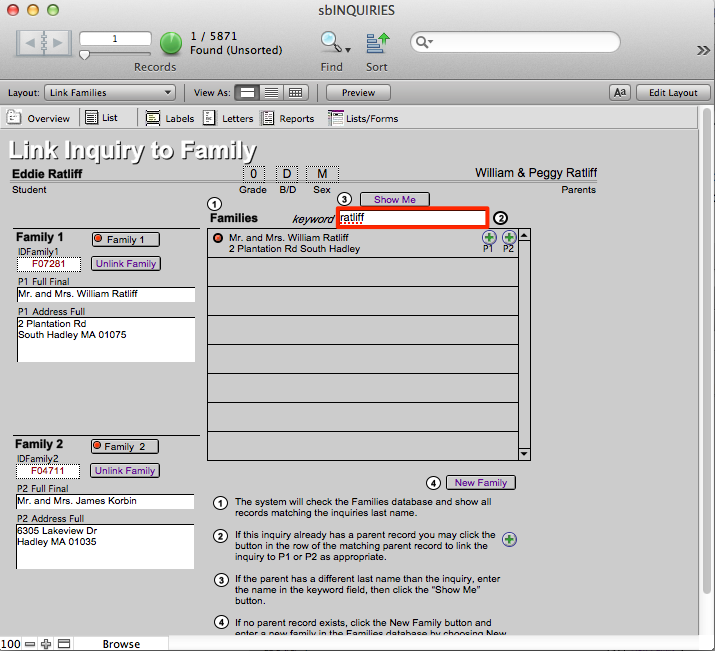
- To change the existing Family1 to Family2, enter the last name of Family1 where it says Keyword. Then click the Show Me button. This will display all the families with that last name in the list.
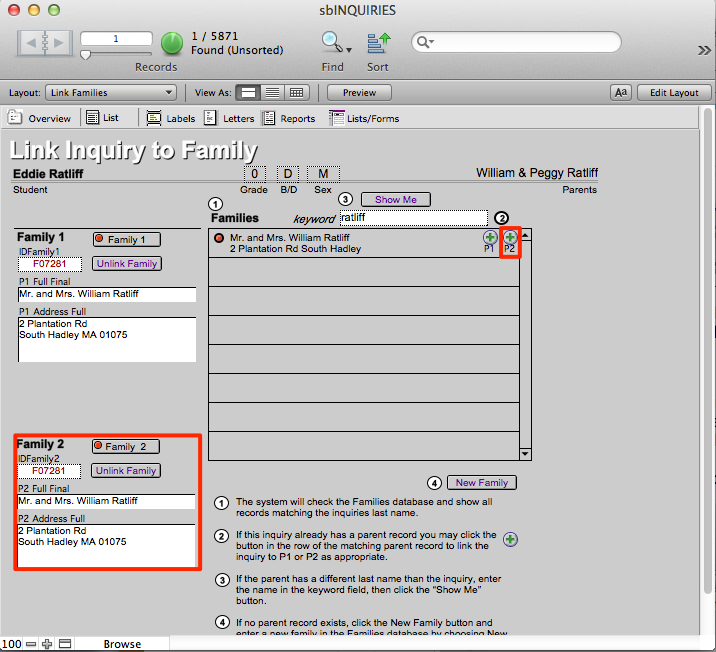
- Click the P2 button next to the correct family. Notice that the family’s information is entered into the area where it says Family2.
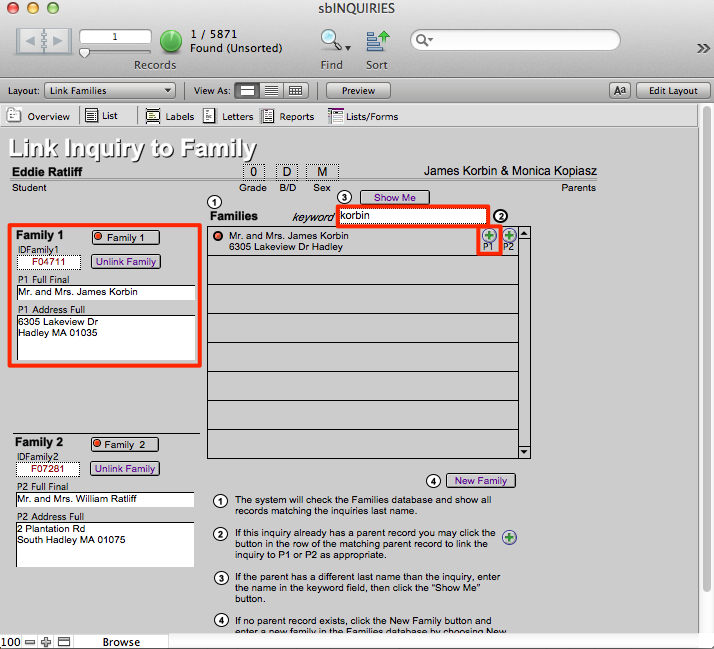
- Find the family that had been Family2 but should be Family1 by entering their last name where it says Keyword. Click Show Me.
- Click the P1 button next to their name to make them Family1.
- The family that was Family1 has been changed to Family2 and the family that was Family2 is now Family1.
- Repeat this process for every other student in this family.
