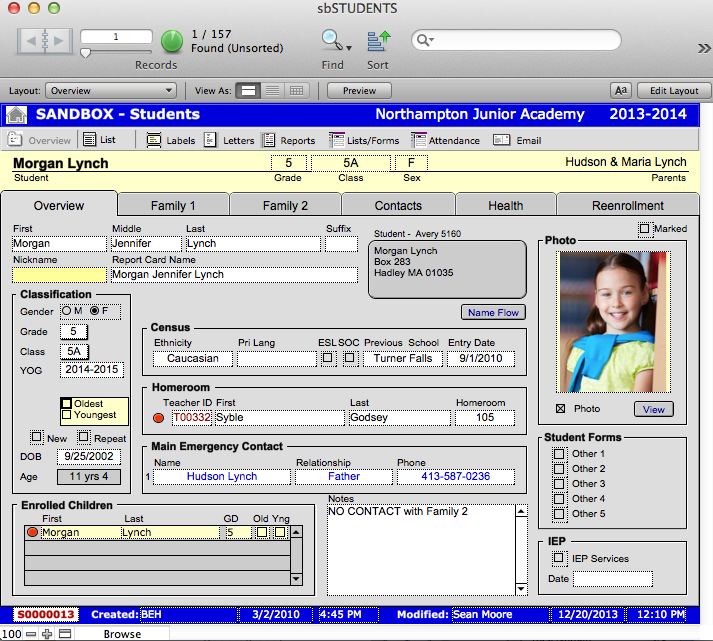
The Overview screen provides a “snapshot” of the student, any siblings they may have who are also enrolled in the school, homeroom teacher, and primary and emergency contacts. This is a good place to start if you need to find out specific important information about a child, with more detailed information located on the other tabs of sbSTUDENTS. Your screens may have been customized upon implementation or at a later date.
On the Overview tab, you can track:
- Name information, including any nicknames they may have
- Census information
- Classification information – much of this was imported from the inquiry record
- Primary Parent Contact numbers
- Main Emergency Contact information
- Status of Student Forms
- Enrolled Siblings
- IEP information