
In the Creator List, you can work with found set groups, change data for a field in one record and then perform Records Replace for the entire list. You can also see, for example, the entire 10th grade and assign them into the three different sections of English 10 while looking at the whole group.
With Creator List, the workflow is to begin with a found set of records and register your found set into sections, progressing from left to right across the fields, choosing first a student and then the parts of a section.
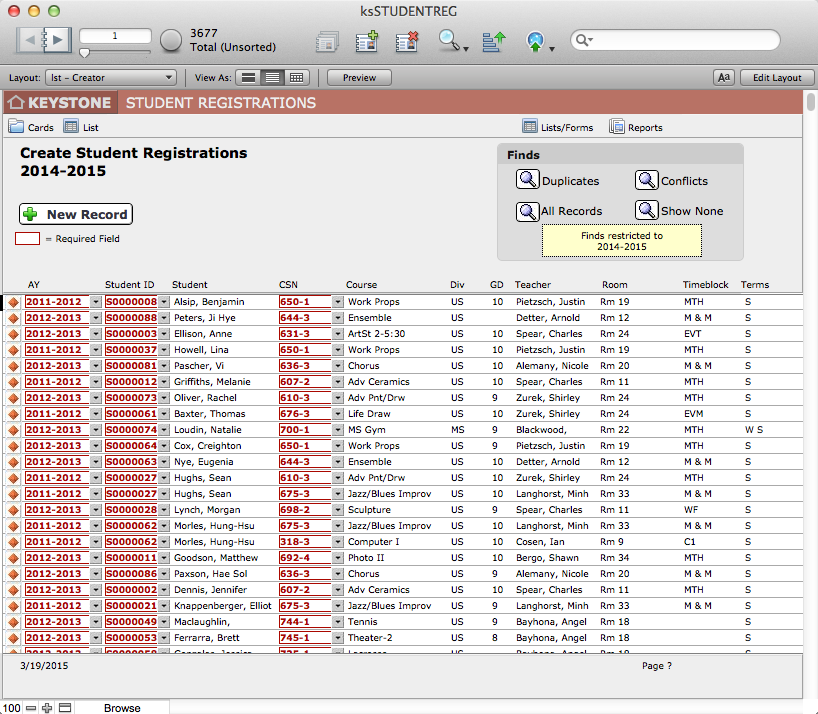
Creating a New Registration Record in the Creator List
When you click the New Record button in the Creator List, a blank Registration record will appear at the bottom of the list.
- A new record defaults to the Current Academic Year as set in the KEYSTONE Setup preferences. Be sure to select the AY for which you are registering students. This AY controls which Sections will display in the pull-down menu.
- The values in the Student ID pull-down menu are based on the selected Academic Year (AY). To display, students must have a ksENROLLMENT record for the AY selected. In order to to schedule students for the next year during the current year, the student would have to be Promoted using Enrollment Management to create the next year ksENROLLMENT records. This is possible, as KEYSTONE adds new Enrollment records for the next year. If you do create registrations for the next year before the current year has closed, you will have to remember to check for any students who withdraw after you have created their enrollment records for the new year.Therefore, usual practice would be that the Registrar will create Courses and Sections for the next year during the current academic year, and then wait until after the final grades are posted before creating Registration records for the next year.
- The Course Sections (listed by CSN) shown in the pull-down menu are only those offered in the Scheduling Year (defined in KEYSTONE SETUP).
- The Division field is the division of the Course. Students from one division can be scheduled for sections in another division if desired, with some limitations to graphic schedules and other features.
- Teacher, Room, Timeblock and Terms are displaying from the Section record.
