
When students are withdrawn, when they graduate, when new students enroll, or when the academic year changes, it is necessary to update the ksSTUDENTS file. This is accomplished with the Rebuild Students function.
- From Central Nav > Enrollment, select Rebuild Students under the Enrollment Management heading.
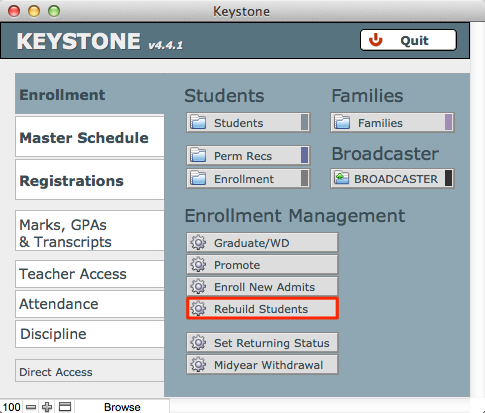
The Rebuild STUDENTS File screen will open.
- Check the numbers at the top right of this window. Here you will see the solution academic year, the number of enrolled students, and the number of records in your ksSTUDENTS file. If the number of enrolled students and the number of records in the ksSTUDENTS file do not match, it is generally a good idea to rebuild Students.
- Click Rebuild Students. KEYSTONE will display a confirmation message.
- Click Build to continue. You will see a status bar indicating the progress of your action.
- Click Done to return to Central Nav.
