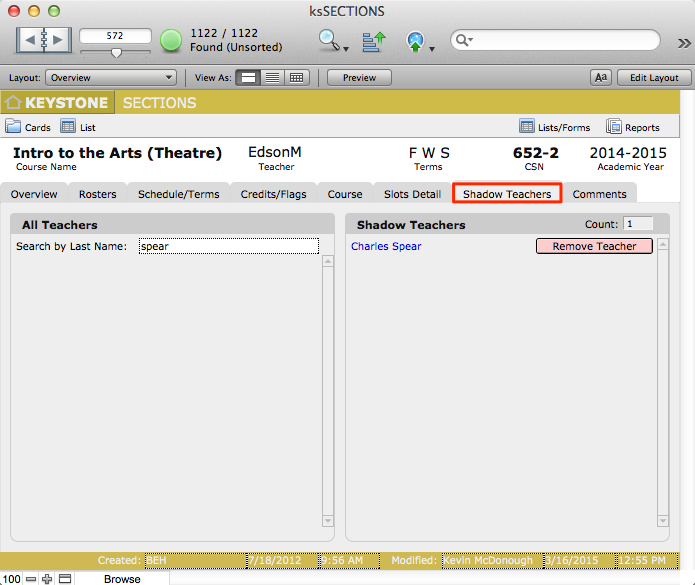
A new feature of KEYSTONE 4.3 is the addition of Shadow Teachers.
The functionality of adding Shadow Teachers allows the scheduler to assign additional teachers to any particular section. This is useful for adding team teachers, assistant teachers, or substitute teachers to particular sections so that they can take attendance and enter grades in TAM.
Shadow Teachers are also useful in adding a Department Head or teaching buddy to all sections for the purpose of proofreading grade/comment reports.
In order to add a Shadow Teacher, that teacher must first have a record in ksTEACHERS, and a TAM account. Then you can add the teacher to a Section, or group of sections.
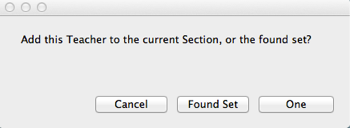
Shadow Teachers can be added to one section at a time, or to a found set of sections.
Adding a Shadow Teacher to a Section
- Navigate to Master Schedule > Sections > Shadow Teachers sub-tab.
- Find the Section to which you want to add the Shadow Teacher.
- Scroll through the list of All Teachers, or use the Search box to find the teacher you will add as a Shadow Teacher to this Section.
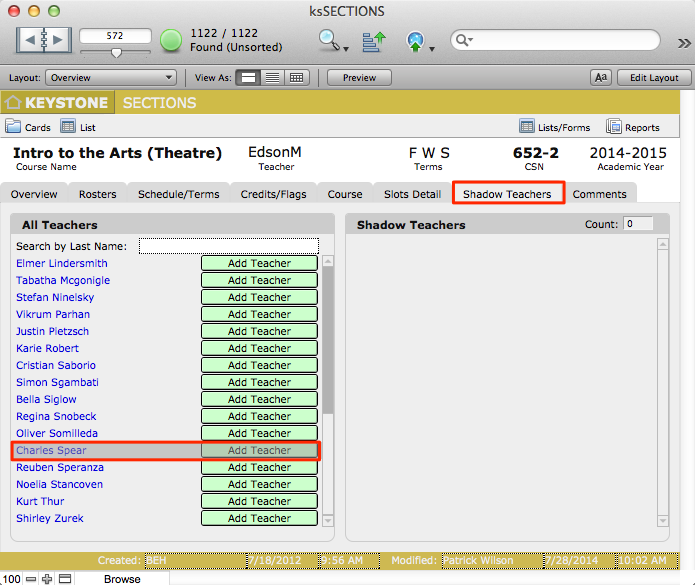

- Click Add Teacher.
- A dialog box will pop up. Click the appropriate button.
- The newly-added teacher will appear in the Shadow teachers area of this section.