
The HTML/CSS Manager has two separate tabs: HTML Editor and CSS Themes Editor. This is where the look and feel of your templates is managed.
- Click on the envelope icon at the top left of the BROADCASTER window to navigate to the Broadcast List.
- Click on the MORE pull-down menu at the top right of the task bar area.
- Select HTML/CSS to navigate to the HTML/CSS Manager.


HTML Editor
BROADCASTER Templates are written in HTML. HTML coding is an advanced skill. Changes to the HTML should be made only by a person experienced in HTML code. You can also contact [email protected] for assistance.
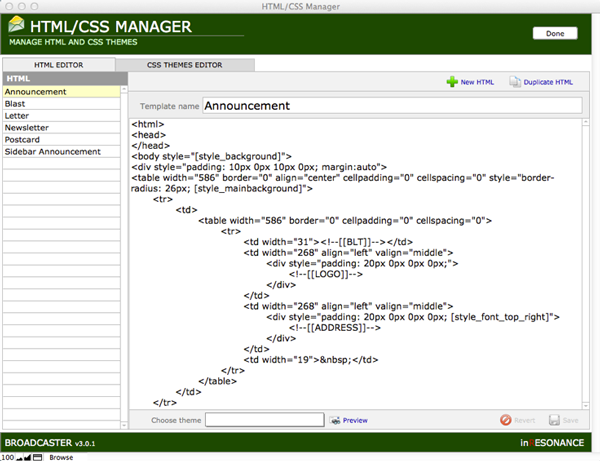
HTML Editor has a picker list on the left, where you can select each individual template design, and see/edit the HTML that is the underlying architecture for the templates.
In the status area at the top of the window are two buttons
- Create New HTML
- Duplicate HTML
We recommend that before making any changes to the HTML, you make a Duplicate, and make your changes in the new copy.
Choose any HTML from the list on the left, apply a Theme from the drop-down menu at the bottom of the editing window, and Preview the design as you work.
Look at the bottom of the editing window to find two additional buttons:
- Revert
- Save
Experiment with your HTML; edit and preview until you like it. Your changes are not committed until you Save.
