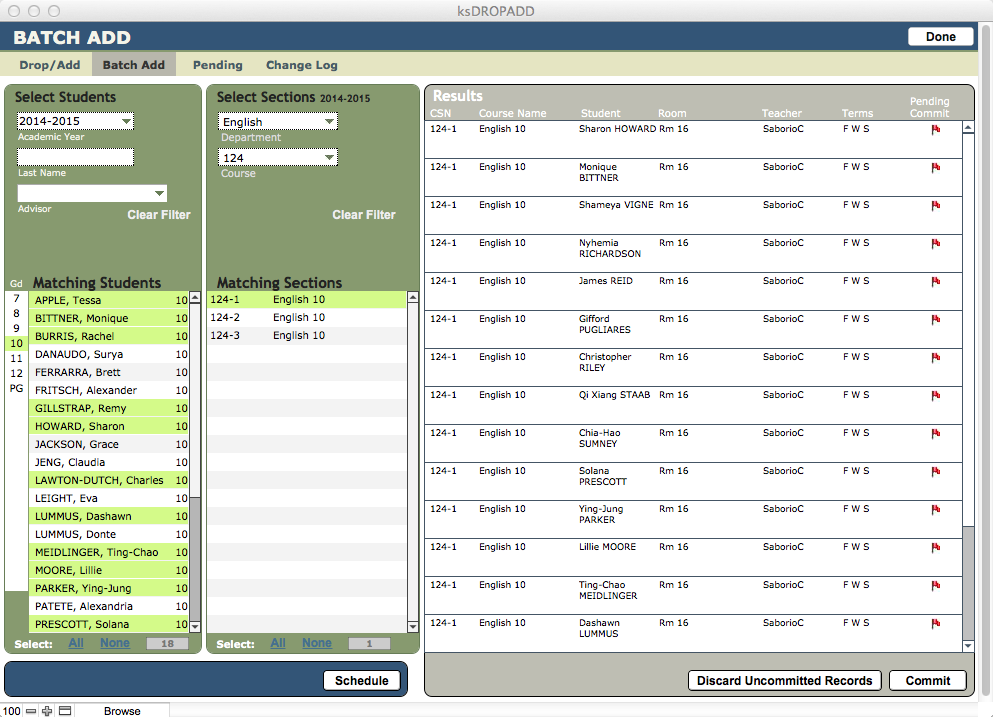
In Batch Add, you can create registration records for each member of a group you select:
- Bring up a list of Students by Last Name, Advisor, or Grade.
- Select Students from the Matching Students list that you want in your batch by clicking on each name.
- View available Sections by Department and/or Course Number, and select the Section from the list into which the students should be registered.
- Click Schedule to schedule the group as a batch. Individual registrations can be edited from this list, or from Drop/Add.
- Click Commit to create these Registration records.